
Grand Theft Auto IV remains one of the most beloved entries in the GTA franchise, but many PC players continue to experience issues when attempting to downgrade the game. Downgrading is often necessary for mod compatibility, performance improvements, or restoring removed content such as original radio tracks. However, users frequently encounter the frustrating “GTA 4 Downgrader Error Occurred” message during the process.
TL;DR: The “GTA 4 Downgrader Error Occurred” issue is typically caused by incompatible game versions, missing dependencies, antivirus interference, or incomplete installations. Fixing it involves verifying the game version, reinstalling necessary software components, disabling security software temporarily, and ensuring proper file permissions. Following a structured downgrade process usually resolves the problem. This guide walks through every major cause and solution step-by-step.
While downgrading GTA IV is generally safe when performed correctly, even minor mistakes can disrupt the process. Understanding why the error occurs is the first step toward resolving it efficiently.
Why Players Downgrade GTA IV
Before diving into the fixes, it helps to understand why downgrading is so popular among GTA IV fans.
- Mod Compatibility: Many classic mods only work on older versions such as 1.0.7.0 or 1.0.8.0.
- Performance Improvements: Some players report smoother gameplay on earlier patches.
- Radio Restorations: Later updates removed certain songs due to expired licenses.
- Stability Fixes: Specific versions are more stable for mod-heavy setups.
Unfortunately, the downgrade process involves modifying core game files, which means anything from a corrupted download to antivirus blocking can interrupt the operation.
Main Causes of “GTA 4 Downgrader Error Occurred”
Several common factors can trigger this error message:
1. Incorrect Game Version
If the downgrade tool doesn’t recognize the installed version of GTA IV, it will fail. This usually happens when players attempt to downgrade an already modified installation.
2. Missing Dependencies
GTA IV relies on components such as:
- Games for Windows Live (GFWL)
- Microsoft Visual C++ Redistributables
- .NET Framework
- DirectX
If any of these are missing or outdated, the downgrader may not execute properly.
3. Antivirus or Windows Defender Blocking Files
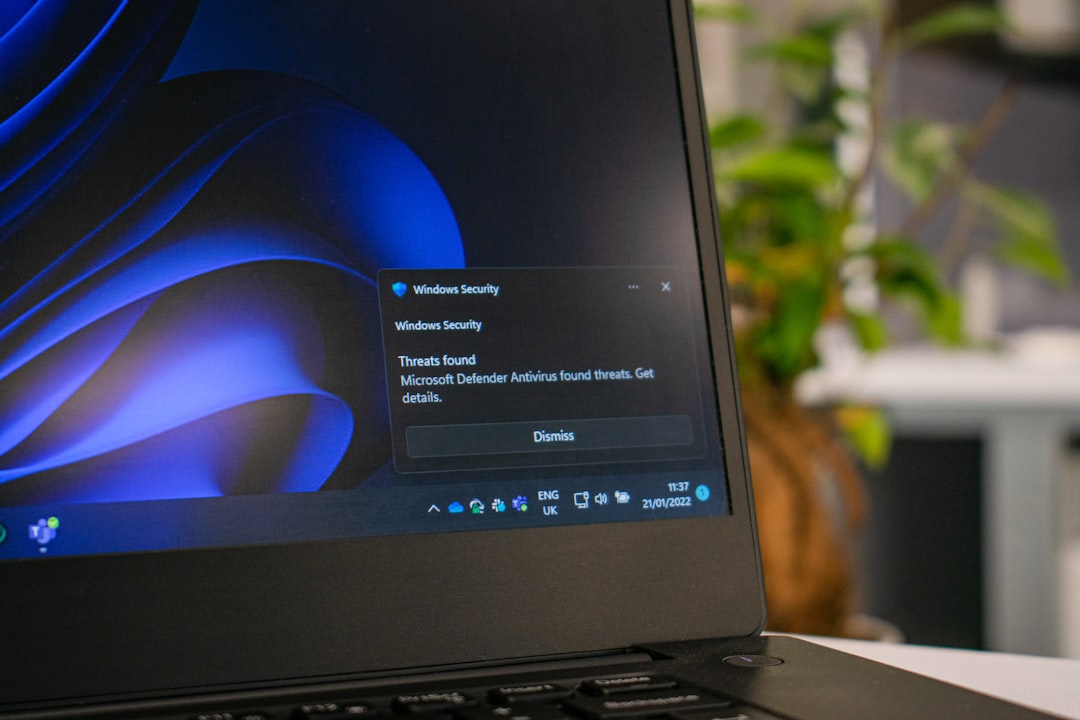
Security software can mistakenly flag the downgrade tool as malicious since it modifies executable files.
4. Corrupted Game Installation
If the base game files are incomplete or corrupted, the downgrade tool cannot properly apply changes.
5. Insufficient Permissions
Running the downgrader without administrative rights may prevent it from altering required system-level files.
Step-by-Step Fix Guide
Below is a structured troubleshooting guide designed to eliminate the most common causes.
Step 1: Verify Base Game Integrity
If using Steam or the Rockstar Games Launcher:
- Right-click GTA IV in your library.
- Select Properties.
- Click Verify integrity of game files.
This ensures the game installation is clean before attempting to downgrade again.
Step 2: Reinstall Necessary Dependencies
Manually reinstall the following:
- Visual C++ Redistributables (2005–2022)
- .NET Framework 3.5 and 4.8
- DirectX End-User Runtime
Restart the PC after installation before relaunching the downgrader.
Step 3: Temporarily Disable Antivirus
Disable Windows Defender real-time protection or third-party antivirus software during the downgrade process. After completing the downgrade, re-enable protection immediately.
Step 4: Run as Administrator
Right-click the downgrader tool and select Run as administrator. This grants permission to modify executable and DLL files.
Step 5: Use a Clean Installation Folder
If errors persist:
- Uninstall GTA IV completely.
- Delete the remaining GTA IV directory manually.
- Reinstall the game fresh.
- Apply the downgrade before installing any mods.
Recommended Downgrade Tools Comparison
Several downgrade tools exist for GTA IV. Choosing the right one can reduce errors significantly.
| Tool Name | Best For | Ease of Use | Common Issues |
|---|---|---|---|
| GTA IV Downgrader by Razor | Automated full downgrade | Very Easy | Antivirus false positives |
| Xliveless + Manual Patch | Mod-heavy builds | Moderate | Missing GFWL dependencies |
| ClonkAndre Downgrader | Latest Complete Edition users | Easy | Version detection errors |
For most users, automated downgrade tools are preferred because they streamline the process. However, manual downgrading sometimes produces fewer errors for experienced modders.
Advanced Troubleshooting
Delete Config Files
Sometimes leftover configuration files conflict with newly applied files. Delete:
- commandline.txt
- pc_settings.bin
- Any previous mod loader files
Check File Hash Conflicts
If the downgrader reports mismatched files, the base game may already be modified. Restoring completely clean files is typically required.
Move Game Outside Program Files
Windows often restricts modification permissions inside the Program Files directory. Installing GTA IV in a directory such as C:\Games\GTAIV may prevent access issues.
Review Downgrade Log Files
Most downgrade tools generate a log file. Opening it in Notepad can reveal precisely which file caused the failure.
Common Mistakes to Avoid
- Installing mods before downgrading
- Ignoring tool instructions
- Interrupting the downgrade mid-process
- Mixing files from different patch versions
- Using unofficial or corrupted downgrade packages
A careful, methodical approach significantly reduces the likelihood of encountering the “Error Occurred” message.
When All Else Fails
If none of the standard solutions resolve the issue, players should consider:
- Running the tool in Windows compatibility mode (Windows 7)
- Updating Windows to the latest version
- Creating a new Windows user profile
- Seeking help on GTA modding forums with log files attached
Community forums such as GTAForums and Reddit’s GTA modding communities often provide version-specific help based on recent updates.
Conclusion
The “GTA 4 Downgrader Error Occurred” problem can be frustrating, especially for players eager to install mods or restore original content. Fortunately, the issue generally stems from predictable causes such as version mismatches, missing dependencies, security software interference, or corrupted installations. By verifying game files, reinstalling required components, running tools as administrator, and maintaining a clean downgrade environment, most players can successfully fix the error.
Downgrading GTA IV is a powerful way to unlock the game’s full potential on PC. With patience and proper troubleshooting, the process can be completed smoothly and safely.
Frequently Asked Questions (FAQ)
1. What version should I downgrade GTA IV to for modding?
Version 1.0.7.0 is widely recommended due to broad mod compatibility and stability. Some players also prefer 1.0.8.0 depending on specific mod requirements.
2. Is downgrading GTA IV legal?
Downgrading is legal as long as you own a legitimate copy of the game. The process modifies installed files but does not bypass ownership requirements.
3. Why does my antivirus flag the downgrader?
Downgrader tools modify executable files, which antivirus programs may interpret as suspicious behavior. Temporarily disabling protection typically resolves this issue.
4. Can I revert back to the latest version after downgrading?
Yes. Verifying game files through Steam or reinstalling the game will restore it to the latest official version.
5. Do I need Games for Windows Live after downgrading?
Some older versions require GFWL unless you use tools like Xliveless. Many downgrade packages remove the dependency automatically.
6. Why does the downgrader say my version is unsupported?
This typically means the game has already been modified or is not the expected Complete Edition build. A clean reinstall usually fixes this.
7. Will downgrading improve performance?
In some cases, yes. Older patches may provide better optimization for certain hardware setups, especially when combined with performance mods.
By following this comprehensive guide, players can resolve most downgrade-related errors and enjoy a fully mod-compatible GTA IV experience once again.