
Imagine this. Your website is running smoothly. Traffic is flowing. Then suddenly—boom. Visitors see a strange error: Google Edge Cache Origin Retries Exhausted Error 2010. It sounds scary. It looks technical. But don’t worry. It’s fixable. And in this guide, we’ll walk through it in a fun, simple way.
TLDR: Error 2010 happens when Google’s edge servers try to connect to your origin server but fail too many times. This usually means your origin server is down, overloaded, blocking Google, or misconfigured. Fixing it involves checking server health, firewall rules, DNS settings, and SSL configuration. Once your origin responds correctly, the error disappears.
What Is Google Edge Cache?
Before we fix the error, let’s understand what’s happening.
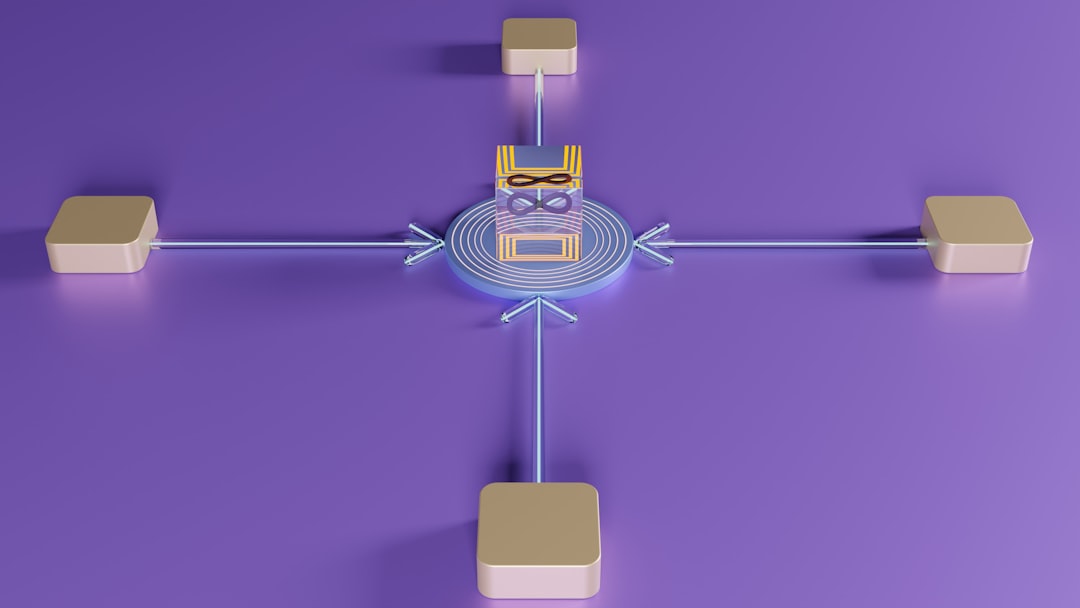
Google Edge Cache works like a super-fast middleman. Instead of sending every visitor directly to your server, Google stores copies of your content on its edge servers around the world.
This means:
- Faster page loads
- Lower server strain
- Better user experience
- Improved SEO performance
But here’s the catch.
If Google’s edge server can’t reach your main server (called the origin server), it tries again. And again. And again.
Eventually, it gives up.
That’s when you see:
Error 2010 – Origin Retries Exhausted
What Does “Origin Retries Exhausted” Actually Mean?
The message simply means this:
Google tried multiple times to contact your origin server.
It failed every time.
No connection. No data. No success.
And when retries run out, Google shows the error.

Common Causes of Error 2010
Let’s break down the usual suspects. Most of the time, the problem falls into one of these categories:
1. Your Origin Server Is Down
If your hosting server is offline, Google can’t reach it. Simple as that.
Possible reasons:
- Server crash
- Hosting outage
- Hardware failure
- Maintenance mode
2. Firewall Is Blocking Google
Your security system might be too strict.
If Google’s IP addresses are blocked, the edge server can’t connect.
3. Server Overload
Too much traffic can overwhelm your origin.
When the server slows down or times out, retries fail.
4. DNS Problems
If DNS records are wrong, Google gets sent to the wrong location.
5. SSL and HTTPS Misconfiguration
Expired certificates. Incorrect SSL setup. Mixed protocol confusion.
All of these can block proper communication.
How to Fix Google Edge Cache Error 2010
Now the good part. Let’s fix it step by step.
Step 1: Check If Your Server Is Online
First, confirm your origin server is alive.
You can use tools like:
- UptimeRobot
- Pingdom
- GTmetrix
- Hosting provider dashboard
If your site is completely down, contact your hosting provider immediately.
No active server = guaranteed Error 2010.
Step 2: Check Server Logs
Logs tell the truth.
Look for:
- Timeout errors
- Connection refused messages
- Memory overload warnings
- CPU spikes
If you see repeated failed attempts from Google IPs, that’s a clue.
Step 3: Whitelist Google IP Addresses
Your firewall may think Google is suspicious.
It’s not.
Make sure:
- Google’s IP ranges are allowed
- No rate-limiting blocks edge servers
- DDoS protection isn’t over-blocking
This fix alone solves many Error 2010 cases.
Step 4: Check DNS Settings
Incorrect DNS leads Google to the wrong address.
Check:
- A records
- AAAA records
- CNAME entries
- Propagation status
You can use tools like:
- WhatsMyDNS
- DNS Checker
- Google Admin Toolbox Dig
If your IP changed recently and DNS wasn’t updated, that’s likely the issue.
Step 5: Verify SSL Certificate
SSL problems are sneaky.
Make sure:
- Your certificate is not expired
- The certificate matches your domain
- Intermediate certificates are installed
- HTTPS redirects work smoothly

Step 6: Reduce Server Load
If your server is overloaded, fix performance issues.
Try:
- Upgrading hosting plan
- Adding server resources
- Optimizing database queries
- Enabling caching
- Using a CDN properly
More breathing room means fewer connection failures.
Hosting Types and Stability Comparison
Your hosting type matters more than you think. Here’s a simple comparison:
| Hosting Type | Stability | Performance | Best For | Error 2010 Risk |
|---|---|---|---|---|
| Shared Hosting | Low to Medium | Variable | Small websites | High during traffic spikes |
| VPS Hosting | Medium to High | Good | Growing websites | Moderate |
| Dedicated Server | High | Excellent | Large sites | Low |
| Cloud Hosting | Very High | Scalable | High traffic sites | Very Low |
If you’re getting Error 2010 often on shared hosting, upgrading might be your long-term fix.
Advanced Troubleshooting
If basic fixes didn’t solve it, dig deeper.
Check Timeout Settings
Your server may be timing out too quickly.
Increase:
- Proxy timeout
- Keep alive settings
- FastCGI timeout
Test With Curl
Run a manual curl request to simulate Google access.
If the response is delayed or fails, the origin is the problem.
Review Load Balancers
If you use a load balancer, verify:
- Backends are healthy
- No misrouted traffic
- Health checks pass
How to Prevent Error 2010 in the Future
Fixing it is great. Preventing it is better.
Follow these habits:
- Monitor uptime 24/7
- Set server alerts
- Keep SSL certificates auto-renewing
- Regularly check firewall rules
- Scale hosting before traffic spikes
- Stress test your infrastructure
Prevention keeps Google happy.
And when Google is happy, your visitors are happy too.
Quick Troubleshooting Checklist
If you’re in a hurry, run through this checklist:
- ✅ Is your server online?
- ✅ Is CPU or RAM maxed out?
- ✅ Are Google IPs blocked?
- ✅ Is DNS pointing correctly?
- ✅ Is SSL working?
- ✅ Any recent configuration changes?
One of these is usually the culprit.
Why You Should Fix It Fast
Error 2010 isn’t just annoying.
It can hurt:
- User trust
- Conversion rates
- SEO rankings
- Revenue
If Google can’t access your origin reliably, it affects indexing and crawl efficiency.
And that affects visibility.
The faster you solve it, the better your site performs long-term.
Final Thoughts
Google Edge Cache Origin Retries Exhausted Error 2010 may look complicated. But at its core, it’s simple.
Google tried to reach your server. It failed too many times.
That’s it.
Most fixes involve:
- Ensuring your server stays online
- Allowing Google through your firewall
- Fixing DNS records
- Maintaining proper SSL setup
- Preventing overload
Stay proactive. Monitor everything. Upgrade when needed.
And remember: servers are like cars.
If you maintain them well, they run smoothly.
If you ignore warning signs, they break down at the worst possible moment.
Now you know how to fix Error 2010.
Go make your server unstoppable.