
For a small business, a website and a logo are often the first signals of credibility. Choosing a website builder that also includes logo design features can reduce setup time, lower early branding costs, and keep visual identity consistent across pages, invoices, social media, and email campaigns.
TLDR: The best options for small businesses are Wix, Squarespace, Shopify, GoDaddy, Hostinger Website Builder, and Canva. For example, a local bakery could use Wix to create a logo, apply the same colors to its homepage, and publish a basic site in a single afternoon. In practical terms, businesses that start with a consistent logo, color palette, and website layout can avoid paying separately for early-stage brand assets, which may otherwise cost $100 to $500+ through freelance design services.
How to Choose a Website Builder with Logo Design Features
A good website builder should do more than publish pages. For small businesses, the strongest platforms combine ease of use, reliable hosting, mobile-responsive templates, SEO tools, and basic branding support. Logo design features are especially useful when they let you generate icons, choose fonts, test color palettes, and export files for use outside the website.
Before choosing a platform, consider the following:
- Business type: Selling products, taking bookings, showcasing services, or publishing content may require different tools.
- Logo flexibility: Look for editable layouts, downloadable files, and transparent background options.
- Brand consistency: The platform should make it easy to reuse colors, fonts, and imagery across the site.
- Long-term cost: Free logo tools can be useful, but website plans, ecommerce fees, and domain costs matter.
- Scalability: A builder should support your business as it grows, not only at launch.

1. Wix
Wix is one of the strongest all-around choices for small businesses that want both a website builder and logo creation tools in one ecosystem. Its logo maker asks questions about your business name, industry, preferred style, and visual tone, then generates editable logo concepts.
Wix is particularly useful for businesses that want a professional-looking website without hiring a designer. After creating a logo, users can apply similar colors and styling across website templates, business cards, social media assets, and other brand materials.
Best for: service businesses, consultants, restaurants, local shops, and startups that need flexibility.
Strengths:
- Large template library with strong customization options
- Integrated logo maker and branding tools
- Good app marketplace for bookings, forms, chat, and marketing
- Suitable for both simple sites and more advanced small business websites
Consideration: Wix offers many design options, which is useful, but beginners should avoid over-customizing pages to the point where the site becomes visually inconsistent.
2. Squarespace
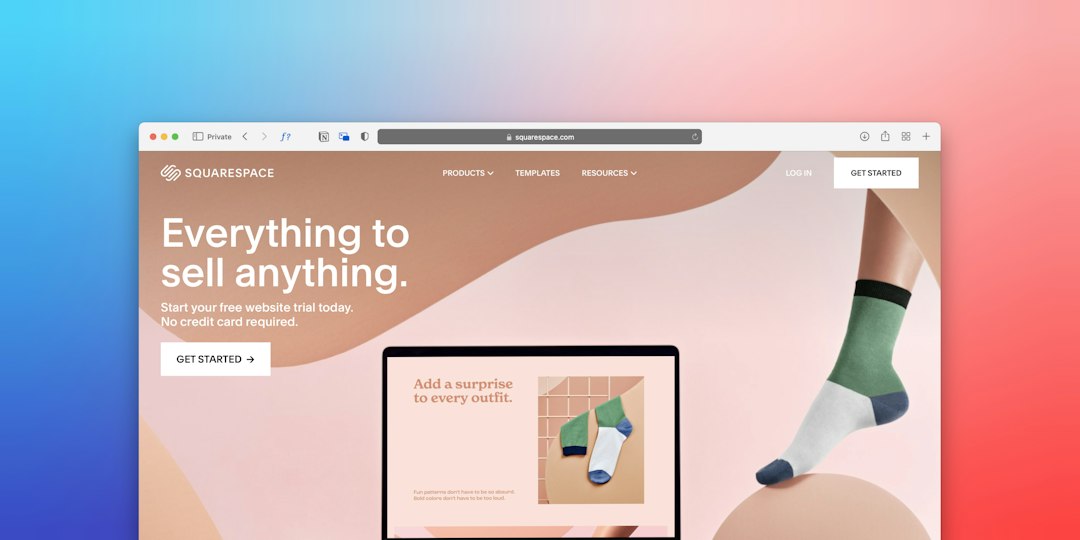
Squarespace is known for polished templates and a clean design experience. Its logo creation feature is relatively simple compared with specialized design tools, but it works well for businesses that want an elegant, minimalist brand identity.
This builder is a strong option for photographers, designers, cafés, wellness professionals, and boutique service providers. The main advantage is that Squarespace templates already look refined, so even a simple logo can feel professional when paired with good typography and imagery.
Best for: visually driven businesses and professionals who value a premium aesthetic.
Strengths:
- High-quality templates with strong visual consistency
- Simple logo creation for clean, text-based branding
- Good blogging, portfolio, and appointment tools
- Reliable design structure that helps prevent messy layouts
Consideration: Logo customization is not as advanced as some alternatives, so businesses needing highly distinctive icons may eventually want a professional designer.

3. Shopify
Shopify is the most serious choice on this list for businesses focused on ecommerce. It offers website building, product management, payments, inventory features, and access to logo creation through its business tools. For a small shop preparing to sell online, this combination can be very efficient.
The logo design experience is straightforward: choose a business category, style, and layout, then generate branding assets that can be used on your store and marketing materials. While the logos are not always highly customized, they are practical for early-stage ecommerce brands that need to launch quickly.
Best for: online stores, product brands, dropshipping businesses, and retailers expanding to ecommerce.
Strengths:
- Excellent ecommerce infrastructure
- Useful brand asset generation for new sellers
- Strong payment, shipping, and inventory features
- Large app ecosystem for marketing and operations
Consideration: Shopify is more commerce-focused than general-purpose builders. If you only need a brochure website with no selling features, it may be more than necessary.
4. GoDaddy Website Builder
GoDaddy is designed for speed and simplicity. Its website builder is suitable for small businesses that need to get online quickly, especially local service providers such as contractors, salons, repair shops, cleaners, and consultants.
GoDaddy’s branding and logo tools help users create a basic identity and apply it across the site. The platform also includes marketing tools, appointment features, email marketing options, and domain services, making it convenient for owners who prefer one provider for multiple business needs.
Best for: local businesses that want a fast, practical website setup.
Strengths:
- Very beginner-friendly website setup
- Logo and branding support within a broader business toolkit
- Built-in marketing and appointment tools
- Convenient domain and hosting management
Consideration: Design flexibility is more limited than Wix or Squarespace, but that can be an advantage for users who value speed over deep customization.
5. Hostinger Website Builder
Hostinger Website Builder is a cost-conscious option with AI-assisted tools, including logo creation features. It is attractive for small businesses that want to control costs while still building a modern website with basic branding support.
The platform focuses on simplicity, fast loading, and guided website creation. Its AI tools can help generate website content, layouts, and brand visuals, which can be valuable for owners who are not comfortable starting from a blank page.
Best for: budget-conscious startups, freelancers, and small service businesses.
Strengths:
- Affordable plans compared with many competitors
- AI-assisted site and logo tools
- Simple editing interface
- Good performance for basic business websites
Consideration: It is best for straightforward websites. Businesses needing complex ecommerce, advanced integrations, or highly customized designs should compare carefully before committing.
6. Canva
Canva is widely known for design, but it also offers website creation features that can work well for simple landing pages, portfolios, event pages, and small business presentations. Its biggest advantage is the connection between logo design, social media graphics, flyers, presentations, and web pages.
For a small business that relies heavily on visual marketing, Canva can be extremely efficient. You can create a logo, define brand colors, prepare Instagram posts, design menus or brochures, and publish a basic website from the same workspace.
Best for: solo entrepreneurs, creators, event businesses, coaches, and businesses with simple web needs.
Strengths:
- Excellent logo and graphic design tools
- Easy brand kit features for colors, fonts, and assets
- Fast creation of simple websites and landing pages
- Strong value for businesses active on social media
Consideration: Canva is not a full replacement for a traditional website builder if you need advanced SEO structure, ecommerce depth, member areas, or complex navigation.
Final Recommendation
The right choice depends on your business model. Choose Wix if you want the best balance of website flexibility and logo creation. Choose Squarespace if design quality and visual polish are your top priorities. Choose Shopify if selling products online is central to your business.
For fast local business setup, GoDaddy is practical and efficient. For affordability and AI assistance, Hostinger Website Builder is a strong contender. For simple pages combined with powerful visual branding, Canva is especially useful.
In most cases, small businesses should treat built-in logo tools as a smart starting point rather than a permanent brand strategy. They help you launch faster, look more professional, and maintain consistency from day one. As the business grows, you can refine the logo and brand identity with more specialized design support, but these six platforms provide a reliable foundation for getting online with confidence.