
Website performance is not a single number. A page can load quickly while its search tool hesitates. Checkout may work well for one customer, then slow when dozens of sessions arrive together. The server, database, browser, network, and outside services all contribute to what the visitor feels.
A VPS can improve part of that chain by giving the application a defined amount of processing power, memory, and storage. The improvement is strongest when the existing problem comes from shared resource limits. If the delay starts in bulky browser code or an outside script, changing servers will have less effect.
Begin with a baseline. Without one, a faster environment may feel better while leaving the important bottleneck untouched.
Separate Server Delay From Page Delay

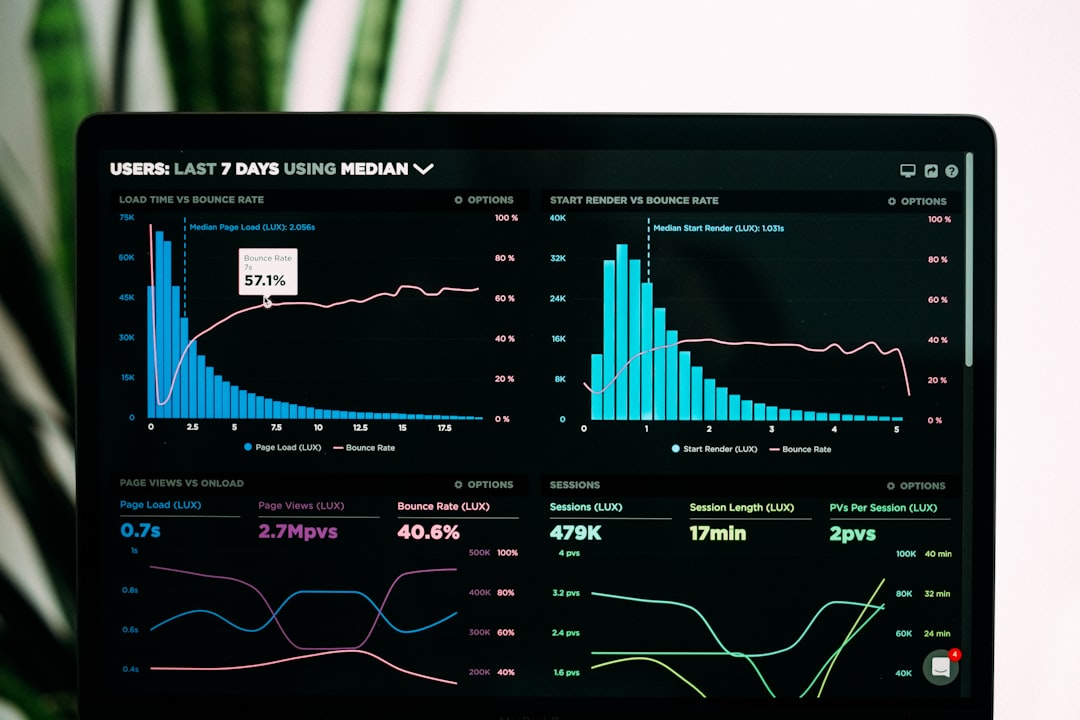
Measure the time required for the server to begin returning a page, then compare it with the time the browser needs to display and activate that page. A slow server response points toward application work, database queries, storage, or limited compute. A fast response followed by a long wait points toward images, scripts, styles, or third-party content.
Use several page types. Test a cached article, a search result, an account page, and a transaction. If only search is slow, moving the whole website may be a poor first fix. If every dynamic page slows as activity rises, the environment deserves closer inspection.
Match Resources to the Bottleneck
CPU handles calculations and application code. RAM holds active data and processes. Storage affects database reads, writes, logs, and file operations. More of one resource cannot always compensate for a shortage of another.
Consider a store where CPU stays below 40 percent, but memory reaches its limit during catalog imports. Choosing a plan mainly for additional CPU would miss the problem. The useful upgrade is the one that provides enough memory for the import while leaving room for customer requests.
Storage type can change the result too. Database-heavy sites benefit from storage that can complete many reads and writes without building a queue. Measure that activity during normal operations instead of relying on a general claim that one drive is “fast.”
Run the same import or report twice, once during a quiet period and once while customers are active. If completion time doubles and page responses slow at the same moment, the server is showing where the workloads collide. That evidence is easier to act on than a general speed grade.
Reduce Competition for Resources
On shared infrastructure, other accounts use the same underlying machine, while limits protect the system from any one account consuming too much. When evaluating options for VPS hosting in India, allocated CPU, RAM, and storage can make performance more predictable. This benefit shows up when slowdowns come from resource contention or when the application repeatedly hits a ceiling.
Isolation also gives you more freedom to tune services. Database memory, cache rules, process limits, and runtime settings can be adjusted for the application. Each change should be tested. A setting copied from another server may perform poorly with your traffic pattern.
Do Not Ignore Server Ownership
The target service is self-managed. Your team controls the operating system and software, which makes detailed tuning possible. The same team must apply updates, protect access, monitor the server, maintain backups, and respond to failures.
Poor maintenance can erase a performance gain. Logs can fill storage, outdated services can fail, and a backup job can consume resources at the busiest hour. Assign those duties before migration and document the settings that were changed.
A VPS helps performance when allocated resources, faster storage, or custom configuration addresses a measured bottleneck. Keep the baseline, test the real workload, and check the visitor experience afterward. That sequence shows whether the hosting change solved the problem instead of merely moving it.
Measure the Result People See
After the server work, return to the browser. Google’s Core Web Vitals guidance recommends a Largest Contentful Paint within 2.5 seconds, an Interaction to Next Paint below 200 milliseconds, and a Cumulative Layout Shift score of 0.1 or less. These figures cover loading, responsiveness, and visual stability.
Use field data when possible because it reflects real devices and connections. Lab tests remain useful for controlled comparisons. Run the same pages, data, and workload before and after the move. Changing the test conditions can hide a regression or exaggerate an improvement.
Performance also needs a business check. Count successful checkouts, completed forms, search errors, and abandoned sessions during the same period. Faster server responses have limited value if customers still cannot finish the task.
Tune the Workload Before Scaling
Caching can keep repeated requests from reaching the application. Query indexes can shorten database work. Image compression reduces transfer size. Background jobs can be moved away from campaign peaks. These fixes lower demand and may allow a smaller VPS to perform well.
Load testing should resemble real activity. Requesting the home page thousands of times proves little if customers spend most of their time searching, signing in, and updating carts. Build a test around those actions and increase simultaneous sessions in stages. Watch for the point where response time rises sharply.