
Choose Squarespace if you want a blog online fast. Choose WordPress if you want more control, more growth options, and fewer limits later. Both can make a great blog. They just serve different kinds of people.
TLDR: Squarespace is best for beginners who want a pretty blog in one afternoon. WordPress is best for bloggers who want to grow, rank on Google, sell products, or customize almost everything. For example, if Maya starts a food blog and posts twice a week, Squarespace may take her 3 hours to set up, while WordPress may take 6 to 10 hours but gives her far more room to grow. A small blog getting 1,000 visits a month may be fine on either, but at 50,000 visits a month, WordPress usually gives more control over speed, ads, SEO, and tools.
So, What Are These Two Platforms?
WordPress is a flexible blog and website platform. Most people mean WordPress.org, which you install through a web host. You own more of the setup. You pick hosting, themes, plugins, backups, and security tools.
Squarespace is an all-in-one website builder. Hosting, templates, security, and updates are bundled together. You log in, pick a design, add pages, and start writing.
Think of it like this:
- Squarespace is a furnished apartment. Nice sofa. Clean kitchen. Easy move-in.
- WordPress is a house with a garage full of tools. More work. More freedom.

Ease of Use: Squarespace Wins the First Round
If you are new to blogging, Squarespace feels calmer. The editor is visual. You click, type, drag, and publish. You do not need to install much. You do not need to think about hosting settings.
That is a big deal.
With WordPress, you may need to pick a host, install WordPress, choose a theme, install plugins, and set up menus. None of this is impossible. But it can feel like assembling flat-pack furniture with six extra screws. Slightly rude.
Honestly, it feels like WordPress asks you five questions before letting you answer the first one. Once you learn it, though, it gets easier.
Design: Squarespace Looks Good Fast
Squarespace has polished templates. They look clean right away. This is great for writers, photographers, coaches, artists, and small shops. You can build a stylish blog without touching code.
WordPress also has thousands of themes. Some are free. Some are paid. Some are beautiful. Some look like they escaped from 2009. You need to choose carefully.
The good news? WordPress can look like almost anything. Minimal blog. Magazine site. Recipe hub. Travel journal. News site. Personal brand site. You can build it.
The less fun news? More choice means more decisions. Expect a little theme-hunting fatigue.
Blogging Tools: WordPress Is Built for Serious Blogging
WordPress started as a blogging tool. It still shines here.
You get strong control over:
- Categories
- Tags
- Authors
- Post formats
- Comments
- SEO settings
- Custom layouts
- Content plugins
Squarespace has solid blogging tools too. You can write posts, schedule them, add tags, use categories, and share them on social media. For a simple blog, it works well.
But WordPress wins if your blog will have lots of posts. It also wins if you care about content structure, search traffic, and long-term publishing.
SEO: WordPress Gives You More Control
SEO means helping people find your blog on search engines. Both platforms support SEO basics. You can edit titles, descriptions, image alt text, URLs, and headings.
Squarespace keeps this simple. That is nice for beginners. You are less likely to break things.
WordPress gives you deeper control with SEO plugins. You can add schema, manage redirects, create advanced sitemaps, improve internal links, and tune page speed. If those words made your eyes twitch, do not worry. You do not need all of them on day one.
But if search traffic is your main plan, WordPress has the edge.
Cost: It Depends, Which Is Annoying
Squarespace pricing is simple. You pay one monthly or yearly fee. Plans often sit around $16 to $36 per month when billed yearly, depending on features. Your hosting is included.
WordPress pricing is more flexible. A beginner might pay:
- $3 to $20 per month for hosting
- $10 to $20 per year for a domain
- $0 to $100+ for a theme
- $0 to $300+ per year for plugins
WordPress can be cheaper. It can also become more expensive if you keep adding paid tools. It drives me crazy that one “tiny” plugin can cost more than dinner for two.
Customization: WordPress Wins by a Lot
Squarespace lets you customize colors, fonts, pages, sections, and layouts. For many people, that is enough.
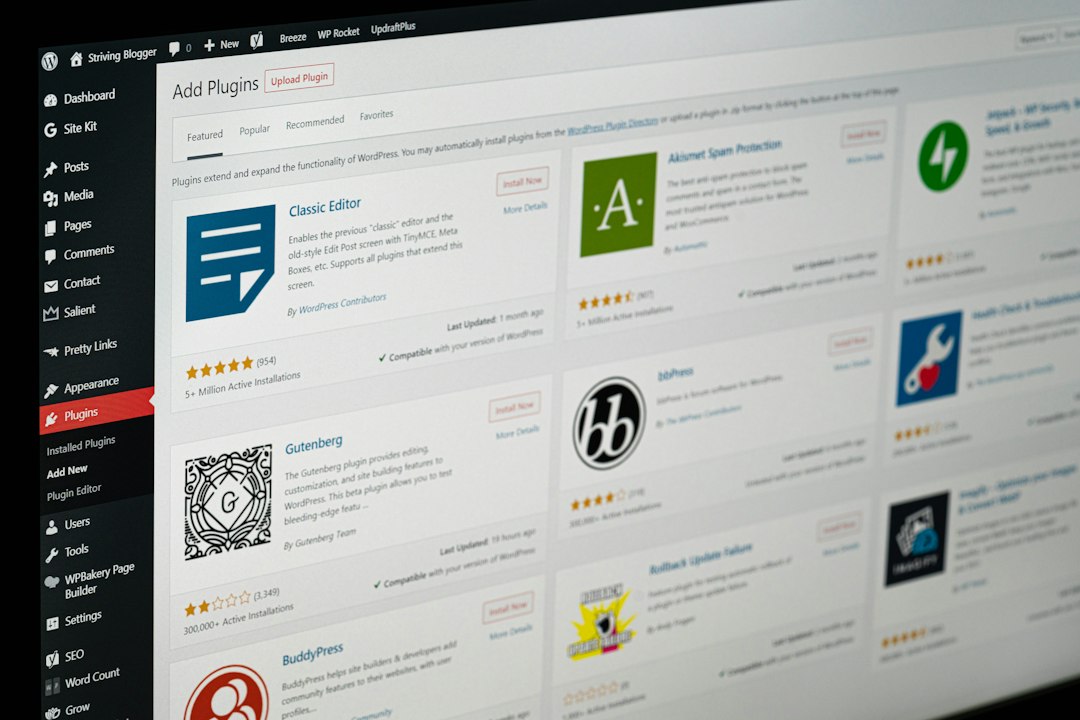
WordPress goes much further. You can add membership areas, forums, courses, ad networks, affiliate tools, advanced forms, custom post types, recipe cards, podcast players, and more.
This is where WordPress becomes powerful. It is not just a blog. It can turn into a full business hub.
But power has a price. More tools can mean more updates, more settings, and more things that act weird after you click “save.” Fun? Not always.
Maintenance: Squarespace Is Less Work
Squarespace handles hosting, updates, security, and technical care. You mostly write and publish. That simplicity is lovely.
WordPress needs more care. You should update plugins. You should keep backups. You should use security tools. You should check site speed. Your host may help, but you still own more of the mess.
If you hate tech chores, Squarespace may save your mood.
Image not found in postmetaOwnership and Portability: WordPress Feels Safer Long Term
With WordPress, you have more control over your files, database, hosting, and tools. You can move hosts. You can change themes. You can export content. You can hire developers more easily.
Squarespace lets you export some content, but moving away can be clunky. Your design will not transfer neatly. You may need to rebuild pages elsewhere.
If your blog is a hobby, that may not matter. If your blog is part of your income, it matters a lot.
Which One Should You Pick?
Pick Squarespace if:
- You want the fastest setup.
- You care most about clean design.
- You do not want to manage hosting.
- You are building a personal blog or portfolio.
- You prefer fewer choices.
Pick WordPress if:
- You want more control.
- You care about SEO growth.
- You plan to publish many posts.
- You want ads, affiliates, courses, or memberships.
- You may hire help later.
A Simple Blog Setup Plan
If you choose Squarespace, do this:
- Pick a simple template.
- Create your homepage.
- Add a blog page.
- Write 3 starter posts.
- Connect your domain.
- Publish and share.
If you choose WordPress, do this:
- Buy a domain and hosting.
- Install WordPress.
- Pick a lightweight theme.
- Add only needed plugins.
- Set up SEO basics.
- Write 3 starter posts.
- Back up your site.
My Final Pick
If you want the simple answer, here it is. Start with Squarespace if you just want to write and look good fast. It is friendly, tidy, and low-stress.
Start with WordPress if you want your blog to become a serious project. It takes more effort at first, but it gives you more room. More tools. More control. More ways to grow.
For a weekend hobby blog, Squarespace is great. For a blog that might become a business, WordPress is usually the smarter bet.
Either way, do not spend three weeks picking fonts. Write the first post. Then the next one. That is how blogs grow.