
Managing software subscriptions and understanding workforce performance have become two closely connected priorities for modern organizations. As teams adopt more cloud-based tools, leaders need reliable ways to control recurring costs, reduce waste, and evaluate whether technology investments are improving productivity. A serious review of SaaS spend management and workforce analytics features should therefore focus not only on cost savings, but also on governance, usability, data quality, and long-term operational value.
TLDR: SaaS spend management tools help organizations identify unnecessary software costs, improve renewal planning, and strengthen vendor oversight. Workforce analytics features provide visibility into productivity patterns, resource allocation, engagement signals, and operational risks. The most valuable platforms combine financial discipline with people-centered insights, giving leaders a clearer view of how software investments support business outcomes. Buyers should prioritize accuracy, integrations, privacy controls, and actionable reporting over broad feature lists.
Why SaaS Spend Management Matters
SaaS adoption has expanded rapidly because cloud applications are easy to purchase, deploy, and scale. However, that convenience often creates a fragmented software environment. Departments may subscribe to overlapping tools, unused licenses may remain active, and renewal dates may pass without proper review. Over time, these issues can lead to significant budget leakage.
A strong SaaS spend management solution provides visibility into active subscriptions, license utilization, contract terms, usage trends, and upcoming renewals. The goal is not simply to cut costs, but to ensure that every software purchase has a clear purpose and measurable value. This is especially important in organizations where technology budgets are distributed across finance, IT, procurement, human resources, marketing, sales, and operations.
Trustworthy spend management tools should allow decision-makers to answer practical questions, such as:
- Which applications are currently in use across the organization?
- How many paid licenses are assigned but inactive?
- Are multiple departments paying for similar tools?
- Which contracts are nearing renewal?
- Are vendors complying with agreed pricing and terms?
- Which software investments directly support business performance?
Without these answers, businesses risk making renewal and purchasing decisions based on assumptions rather than evidence.
Core SaaS Spend Management Features to Evaluate
When evaluating SaaS spend management capabilities, organizations should begin with application discovery. A reliable platform should detect software usage from multiple sources, including single sign-on systems, expense records, corporate cards, accounting platforms, and browser extensions where appropriate. The broader the discovery coverage, the more complete the software inventory will be.
License management is another essential feature. A platform should show which users are assigned to each tool, how often they access it, and whether licenses can be downgraded, reassigned, or terminated. This is where many organizations uncover meaningful savings. For example, a company may discover that a premium plan is being purchased for users who only need basic functionality.
Renewal management is equally important. Effective tools provide automated alerts before contract renewal dates, ideally with enough lead time for negotiation. A serious solution should also centralize contract documents, pricing details, vendor contacts, renewal clauses, cancellation windows, and historical spend data. This allows finance and procurement teams to negotiate from a position of knowledge rather than urgency.
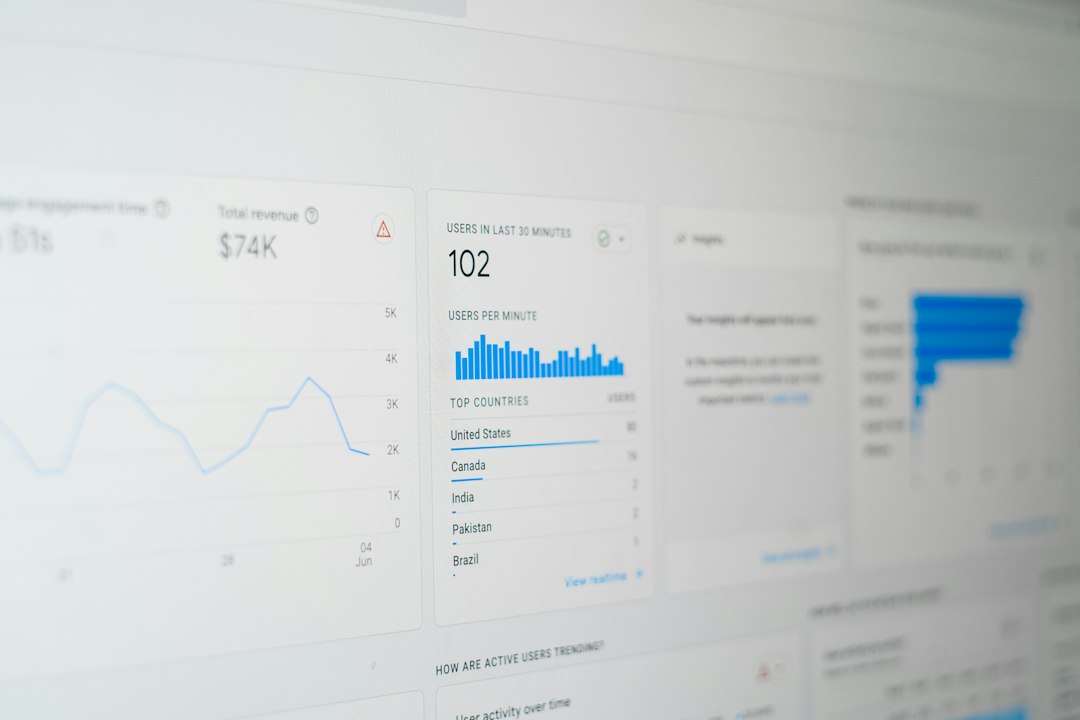
Spend analytics should go beyond simple totals. Useful dashboards break spending down by vendor, business unit, department, team, region, or employee group. They should also show trends over time and identify unusual increases. For leadership teams, this creates a clearer connection between software budgets and organizational priorities.
Vendor management features can add further value by tracking supplier performance, contract compliance, security reviews, and data processing agreements. In regulated sectors, this information is not just helpful; it may be necessary for audit readiness and risk management.
Workforce Analytics: A Complementary Discipline
Workforce analytics focuses on understanding how people, teams, roles, and organizational structures contribute to performance. It may include data related to headcount, productivity, engagement, retention, collaboration, skills, absenteeism, hiring, compensation, and capacity planning. When used responsibly, workforce analytics helps leaders make better decisions about staffing, resource allocation, and employee support.
The link between workforce analytics and SaaS spend management is stronger than it may first appear. Software tools are purchased to enable people to work more effectively. If an organization spends heavily on collaboration, project management, sales enablement, or customer support tools, leaders should be able to evaluate whether those tools are actually improving work outcomes.
For example, workforce analytics may reveal that a team is overloaded, while SaaS usage data shows low adoption of tools intended to streamline workflows. This could indicate a training gap, poor implementation, or a mismatch between the tool and the team’s real needs. Conversely, high adoption of a platform combined with improved performance metrics can help justify continued investment.
Key Workforce Analytics Features to Review
Effective workforce analytics platforms should offer accurate data integration. Human resources information systems, payroll software, time tracking platforms, performance management systems, learning management tools, and collaboration platforms may all hold relevant data. A dependable analytics layer should consolidate these sources while maintaining clean definitions and avoiding duplicate or conflicting records.
Headcount and organizational planning features are particularly valuable for executives and HR leaders. These tools can show current staffing levels, open roles, reporting structures, workforce distribution, and projected hiring needs. When combined with budget data, they support more realistic workforce planning.
Productivity and performance indicators should be handled with care. Serious platforms avoid reducing employee value to simplistic activity metrics. Instead, they provide contextual insights aligned with business goals. For example, customer support teams may be evaluated using response quality, case resolution time, workload balance, and customer satisfaction, rather than merely counting logins or keystrokes.
Engagement and retention analytics are also important. Tools may analyze survey results, turnover patterns, promotion trends, manager effectiveness, internal mobility, and workload signals. These insights can help leaders identify areas where employees may need additional support, training, or career development opportunities.
Skills analytics can be especially useful in fast-changing industries. By mapping current skills against future business needs, organizations can identify training priorities, succession risks, and recruitment gaps. This helps companies invest in people more strategically rather than relying only on external hiring.

Data Quality and Integration Are Non-Negotiable
Both SaaS spend management and workforce analytics depend heavily on data quality. Incomplete, outdated, or inconsistent data can create misleading conclusions. A platform may appear sophisticated, but if it cannot reliably reconcile user identities, contract records, job titles, departments, and cost centers, its recommendations may be weak.
Organizations should examine how a solution handles identity matching, data normalization, permissions, and historical records. For SaaS spend management, it is important to know whether the system can connect application users to departments and budgets. For workforce analytics, it is important to understand whether employee data is current and whether organizational changes are reflected promptly.
Integrations should be assessed realistically. A vendor may advertise many integrations, but depth matters more than count. Buyers should ask whether integrations are native, whether they support two-way data exchange, how often data is refreshed, and what happens when an API connection fails. Reliable audit logs and error reporting are also useful signs of a mature system.
Privacy, Security, and Ethical Use
Because workforce analytics involves sensitive employee information, privacy and ethical use must be central to any evaluation. Leaders should be cautious about tools that encourage invasive monitoring or present individual employees as data points without context. Analytics should support better management decisions, not create a culture of surveillance.
Strong platforms should provide role-based access controls, data anonymization or aggregation where appropriate, clear consent workflows, and compliance support for relevant privacy regulations. They should also allow organizations to define policies around who can view individual-level data and under what circumstances.
Security is equally important for SaaS spend management. These platforms may store contract details, vendor pricing, user access information, and financial records. Buyers should review security certifications, encryption practices, incident response procedures, access logs, and data retention policies. A serious vendor should be transparent about these safeguards and willing to provide documentation during procurement.
Reporting and Decision Support
The best analytics platforms do more than display information. They help users decide what to do next. In SaaS spend management, this may include recommendations to reclaim unused licenses, consolidate tools, renegotiate contracts, or cancel redundant applications. In workforce analytics, this may include alerts about capacity risks, turnover patterns, skill shortages, or uneven workload distribution.
However, recommendations should be explainable. If a system flags a tool as underused or a team as at risk of burnout, decision-makers should be able to see the evidence behind that conclusion. Black-box recommendations can reduce trust, particularly when financial or personnel decisions are involved.
Useful reports should be tailored to different audiences:
- Executives need concise summaries of cost trends, workforce risks, and strategic investment outcomes.
- Finance teams need spend forecasts, renewal calendars, variance analysis, and budget ownership.
- IT teams need application inventories, access data, security status, and adoption metrics.
- HR leaders need workforce trends, engagement indicators, retention risks, and planning scenarios.
- Department heads need practical views of team tools, usage, capacity, and performance context.
When reporting is well designed, it reduces manual analysis and supports faster, more consistent decision-making.
Evaluating Usability and Adoption
A platform’s value depends on whether people actually use it. Complex dashboards, unclear terminology, and rigid workflows can limit adoption. During evaluation, organizations should test common tasks, such as reviewing a renewal, identifying unused licenses, comparing departmental spend, building a headcount forecast, or investigating turnover trends.
The interface should be clear enough for non-technical users while still offering advanced analysis for specialists. Customizable dashboards, saved reports, export options, and scheduled notifications can improve usability. Training resources and responsive customer support are also meaningful indicators of vendor maturity.
Implementation effort should not be underestimated. SaaS spend management may require connecting finance, identity, procurement, and IT systems. Workforce analytics may require aligning HR definitions, job architecture, employee records, and historical data. A serious buyer should ask vendors about implementation timelines, data preparation requirements, customer success support, and typical obstacles.

Measuring Return on Investment
Return on investment for SaaS spend management is often easier to quantify. Savings may come from canceled subscriptions, reduced license counts, stronger negotiations, and improved budget control. Organizations should track realized savings, not only estimated savings. A recommendation to remove unused licenses has value only if the action is completed and reflected in future invoices.
Workforce analytics ROI can be broader and sometimes less immediate. Benefits may include reduced turnover, improved workforce planning, better manager decisions, stronger internal mobility, more effective hiring, and improved productivity. These outcomes may require time to measure, but they can have substantial financial and cultural impact.
The strongest business case appears when both disciplines work together. If a company can show that software investments are aligned with workforce needs, actively used, and contributing to measurable outcomes, technology spending becomes easier to defend. If the data shows waste, leaders can act with confidence.
Common Risks and Limitations
No platform can replace sound judgment. SaaS spend management tools may identify low usage, but low usage does not always mean a tool is unnecessary. Some applications are critical during specific periods, used by specialized roles, or required for compliance. Similarly, workforce analytics may reveal patterns, but those patterns must be interpreted with organizational context.
There is also a risk of over-automation. Automatically removing licenses or making workforce decisions based solely on algorithmic signals can create operational problems and employee distrust. Responsible governance requires human review, clear policies, and documented decision criteria.
Another common limitation is departmental resistance. Teams may worry that spend management is only a cost-cutting exercise, or that workforce analytics will be used to scrutinize individuals unfairly. Clear communication is essential. Leaders should explain that the purpose is to improve resource allocation, reduce waste, and support better work environments.
Final Assessment
An insightful evaluation of SaaS spend management and workforce analytics features should consider both financial discipline and organizational effectiveness. The most capable platforms provide reliable data, meaningful integrations, strong privacy controls, and practical recommendations. They help leaders understand not only where money is being spent, but also whether that spending supports the people and processes that drive results.
For organizations seeking trustworthy solutions, the priority should be clarity over complexity. A long list of features is less valuable than accurate data, transparent reporting, and workflows that lead to measurable action. SaaS spend management can reduce waste and improve vendor control, while workforce analytics can strengthen planning, engagement, and performance. Together, they offer a more complete view of how technology, people, and budgets interact in a modern business.
The best approach is not to treat these capabilities as isolated systems, but as complementary sources of operational intelligence. When implemented thoughtfully, they can help organizations make more disciplined investments, support employees more effectively, and build a stronger foundation for sustainable growth.