
In today’s fast-moving professional environment, presentations are no longer simple slide decks filled with bullet points. They are strategic communication tools that must capture attention, clarify complex ideas, and drive decision-making. Organizations increasingly rely on advanced presentation makers to transform raw information into compelling narratives. The right platform does more than organize slides — it shapes the experience, ensuring audiences stay focused from the first minute to the last.
TLDR: Modern presentation makers enhance engagement through interactive features, strong visual design tools, collaboration capabilities, and data storytelling support. The most effective platforms prioritize clarity, audience participation, and ease of use. Choosing the right tool depends on your specific needs, such as live presenting, team collaboration, or animated storytelling. When selected strategically, presentation software can significantly increase message retention and audience response.
Audience engagement is not accidental. It is the result of thoughtful design, dynamic delivery, and tools that support both. Below, we examine the key features that define engaging presentation makers and compare several leading solutions to help you make an informed choice.
Why Engagement Matters More Than Ever
Research consistently shows that attention spans decline rapidly during passive presentations. Dense slides, monotone delivery, and static visuals lead to disengagement within minutes. By contrast, presentations that combine visual interest, storytelling, and interaction can increase retention rates by over 60 percent.
Effective presentation makers prioritize:
- Visual clarity — reducing clutter and emphasizing key messages
- Interactivity — polls, Q&A, live feedback
- Data visualization — clear, persuasive charts
- Seamless collaboration — real-time editing and commentary
- Accessibility — compatibility across devices and formats
These capabilities are no longer optional; they are essential for business leaders, educators, marketers, and consultants who aim to influence outcomes.

Core Features of Presentation Makers That Drive Attention
1. Dynamic Visual Design Tools
Strong visuals communicate faster than text. Advanced platforms provide pre-designed templates rooted in design best practices — balanced layouts, typography pairings, and color harmony. They also include icon libraries, stock images, and drag-and-drop media integration.
Look for tools that allow:
- Customizable branding elements
- High-resolution image and video embedding
- Smooth transitions and subtle animations
- Consistent design themes across slides
However, discipline is critical. Overusing animations or effects can distract rather than enhance. A trustworthy presentation maker offers refinement, not gimmicks.
2. Interactive Capabilities
Interactivity transforms attendees from passive listeners into participants. Features such as live polling, embedded quizzes, clickable content paths, and real-time analytics significantly strengthen engagement. Particularly in hybrid or remote environments, two-way interaction is indispensable.
Interactive elements may include:
- Audience response systems
- Embedded surveys
- Clickable timelines or maps
- Live chat integration
These tools help presenters gauge audience understanding and adjust their approach mid-session.
3. Data Storytelling and Visualization
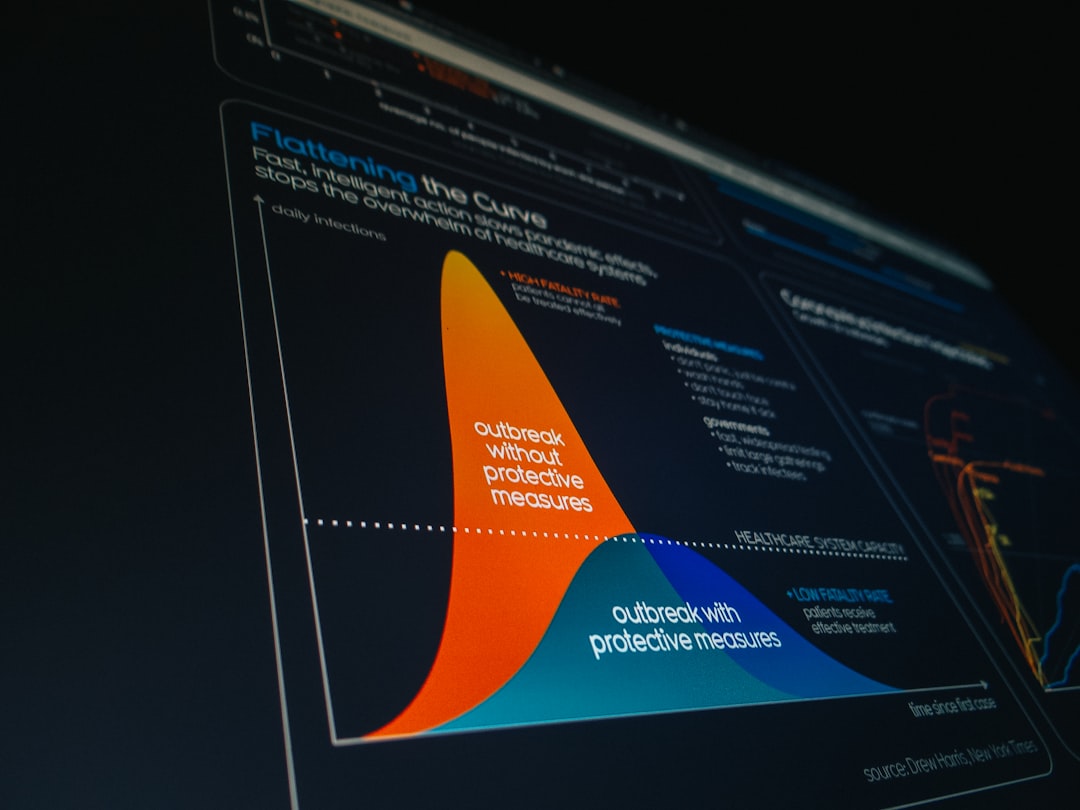
Executives and decision-makers rely heavily on data. Presentation platforms that integrate live charts, dashboards, and infographics enable presenters to transform raw numbers into persuasive narratives. Instead of overwhelming viewers with spreadsheets, effective visualization distills complex data into digestible insights.
Look for systems that support:
- Automatic chart updates from data sources
- Interactive graphs
- Infographic-style templates
- Clear labeling and annotation features
4. Collaboration and Cloud Integration
Modern presentations are rarely created by one person. Cloud-based platforms allow teams to edit simultaneously, leave comments, track revisions, and maintain version control. This improves workflow efficiency and ensures consistency across departments.
Security is equally important. Enterprise-grade encryption and permission controls protect sensitive content.
Leading Presentation Makers Compared
Below is a comparison of several respected tools widely used in business and education environments.
| Tool | Best For | Key Strengths | Limitations |
|---|---|---|---|
| Microsoft PowerPoint | Corporate presentations | Widely familiar, robust design tools, offline access | Less interactive without add-ins |
| Google Slides | Team collaboration | Real-time editing, cloud access, easy sharing | Limited advanced animations |
| Prezi | Dynamic storytelling | Zooming interface, non-linear navigation | Learning curve for new users |
| Canva | Design-forward presentations | Extensive templates, easy drag and drop tools | Less advanced data integration |
| Visme | Data-rich marketing content | Strong infographics, interactive charts | Premium features require paid plans |
How Each Tool Supports Engagement
Microsoft PowerPoint remains a standard in corporate environments because of its flexibility and depth. When used effectively — through embedded video, morph transitions, and clean layout design — it can rival newer platforms in engagement. Its reliability and broad compatibility make it a secure choice.
Google Slides excels in collaboration. Teams working remotely can refine content simultaneously, ensuring strong narrative flow and minimized redundancy. While design features are simpler, its accessibility keeps projects moving efficiently.
Prezi distinguishes itself with non-linear storytelling. Rather than flipping through slides sequentially, presenters navigate a visual canvas. This structure can create memorable experiences when used thoughtfully, especially for strategic storytelling.
Canva focuses heavily on polished aesthetics. It empowers users without formal design training to produce visually impressive presentations. The simplicity of its interface reduces preparation time significantly.
Visme appeals to marketers and analysts who prioritize infographics and data communication. Interactive charts and strong branding tools can make performance reports far more compelling.

Best Practices for Maximizing Engagement
Even the most advanced platform cannot compensate for poor structure. To keep audiences engaged:
- Start with a clear narrative: Define the problem, present evidence, propose solutions.
- Limit text: Aim for visual reinforcement, not script reading.
- Use consistent branding: Fonts and colors should align with organizational identity.
- Incorporate audience participation: Schedule interaction every 10–15 minutes.
- Rehearse timing: Respect attention spans and meeting constraints.
Importantly, engagement begins before the presentation itself. Sharing materials in advance, setting expectations, and understanding the audience’s needs significantly improve outcomes.
Balancing Technology and Delivery
Presentation makers are tools — not substitutes for preparation and confidence. Delivery style, vocal variation, body language, and emotional intelligence profoundly affect audience experience. The platform should enhance, not overshadow, the presenter.
For virtual presentations specifically, leverage features such as:
- Integrated video feeds
- Breakout sessions
- Live annotation tools
- Screen-focus or spotlight modes
These features help replicate in-person engagement in digital environments.
Choosing the Right Platform for Your Needs
When evaluating presentation makers, consider:
- Audience size and format — In-person, hybrid, or fully remote?
- Content type — Data-heavy, narrative-driven, or design-focused?
- Collaboration requirements — Solo project or team effort?
- Budget constraints — Free tools versus enterprise solutions?
- Technical proficiency — Learning curve tolerance?
There is no universal solution. A quarterly executive report may require PowerPoint’s depth, while a creative pitch might benefit from Prezi’s motion-based format. Design-sensitive marketing updates could align naturally with Canva or Visme.
Final Thoughts
Presentation makers that keep audiences engaged share common characteristics: clarity, interactivity, collaborative ease, and strong visual storytelling. Trustworthy platforms prioritize substance over spectacle, enabling presenters to communicate complex ideas effectively.
As business communication continues evolving, the expectations of audiences will only increase. Investing in the right presentation tools — and using them strategically — ensures that your message does not merely appear on a screen, but resonates long after the final slide.