
Online courses travel faster than classrooms ever could, but language still decides whether learners feel included or left behind. AI localization platforms now help course creators translate lessons, dub videos, generate subtitles, adapt quizzes, and manage multilingual content at a speed that would have seemed impossible a few years ago. The best tools do more than swap words from one language to another: they protect tone, terminology, accessibility, and the learning experience.
TLDR: The top AI platforms for localizing online courses include tools for translation management, video dubbing, subtitles, synthetic voice, and multilingual workflow automation. DeepL, Phrase, Lokalise, Smartling, Rask AI, HeyGen, Synthesia, ElevenLabs, Descript, and Transifex are especially useful depending on your content format and team size. For best results, combine AI speed with human review, especially for compliance training, academic programs, healthcare, finance, and culturally sensitive lessons.
Why AI Localization Matters for Online Learning
Localization is not simply translation. In eLearning, it means adapting the full learning journey: video narration, slide text, captions, downloadable worksheets, quizzes, examples, user interface messages, assessments, certificates, and support materials. A business course created for learners in the United States may need different workplace examples for learners in Japan. A safety module may require region-specific legal terminology. A soft-skills course may need idioms removed entirely because they do not translate well.
AI makes this process more scalable. Instead of manually exporting every transcript, hiring voice actors for every language, and rebuilding each course file from scratch, teams can use AI to produce first drafts, generate subtitles, clone voices, synchronize dubbing, and maintain consistent terminology across modules. The result is faster international rollout and a more inclusive learning environment.

What to Look for in an AI Course Localization Platform
Before choosing a platform, it helps to understand the main categories. Some tools specialize in text translation, while others focus on video localization, voice generation, or translation management systems. The best choice depends on whether your course is mostly written, video-heavy, interactive, or hosted inside a learning management system.
- Translation quality: Look for strong neural machine translation, glossary support, and style guides.
- Video features: Subtitles, dubbing, lip sync, speaker detection, and transcript editing are essential for video courses.
- Voice options: Synthetic voices, voice cloning, emotional tone control, and pronunciation editing can improve learner engagement.
- Workflow management: Teams need review stages, permissions, version control, and integrations with content systems.
- File compatibility: Check support for SRT, VTT, XLIFF, DOCX, PPTX, HTML, SCORM-related exports, and LMS content.
- Human review: AI is powerful, but expert reviewers are still important for accuracy, culture, and compliance.
1. DeepL: Best for High-Quality Text Translation
DeepL is widely recognized for producing natural, polished translations, especially across major European languages. For course creators working with scripts, slide text, handouts, knowledge-base articles, and lesson descriptions, it is one of the strongest AI translation tools available.
Its glossary feature is particularly valuable for online learning. If your course uses specific terminology such as “learning objective,” “compliance audit,” “conversion rate,” or “patient intake,” you can define preferred translations and preserve consistency across modules. This matters because inconsistent terminology can confuse learners and weaken assessment results.
DeepL is not a complete localization workflow platform by itself, but it is excellent as a translation engine. Smaller teams can use it directly, while larger teams may connect it with translation management systems for review and publishing.
2. Phrase: Best for Structured Localization Workflows
Phrase is designed for organizations that need to manage localization at scale. It combines translation management, automation, terminology control, quality checks, and collaboration tools. If your online course catalog includes dozens or hundreds of modules, Phrase can help organize the process instead of leaving everything in scattered spreadsheets.
For eLearning teams, Phrase is useful because it can support multilingual content pipelines. Translators, editors, instructional designers, and project managers can work in a central environment with clear statuses and version history. This is especially helpful when updates happen frequently, such as annual compliance changes, software training revisions, or product education updates.
Phrase is a strong choice for companies that view localization as an ongoing operation rather than a one-time project.
3. Lokalise: Best for Course Platforms and App-Based Learning
Lokalise is another leading localization management platform, especially popular with software, app, and digital product teams. It is a smart fit for online learning companies that deliver courses through web platforms, mobile apps, or interactive learning portals.
Many modern courses are not just videos; they include dashboards, progress messages, buttons, notifications, achievement badges, quizzes, and learner emails. Lokalise helps manage those interface strings and keeps translations aligned across digital touchpoints. Its integrations with design, development, and content tools can reduce manual copy-paste work.
If your course marketplace or training academy has a multilingual user interface, Lokalise can help make the learner experience feel native from login to certificate download.
4. Smartling: Best for Enterprise Learning Programs
Smartling is built for enterprise-grade localization, combining AI-powered translation workflows with professional review options, analytics, and automation. It is especially useful for corporations, universities, and global training providers that need reliability, governance, and reporting.
Smartling’s strength is its ability to manage complex localization programs with many stakeholders. A global HR team, for example, might need to localize onboarding courses, leadership training, policy updates, and internal communications into twenty languages. Smartling can help coordinate the process while maintaining quality standards.
For highly regulated industries, Smartling’s workflow controls and review processes can be a major advantage. AI accelerates production, but human reviewers can still validate legal, technical, or cultural accuracy before learners see the final version.
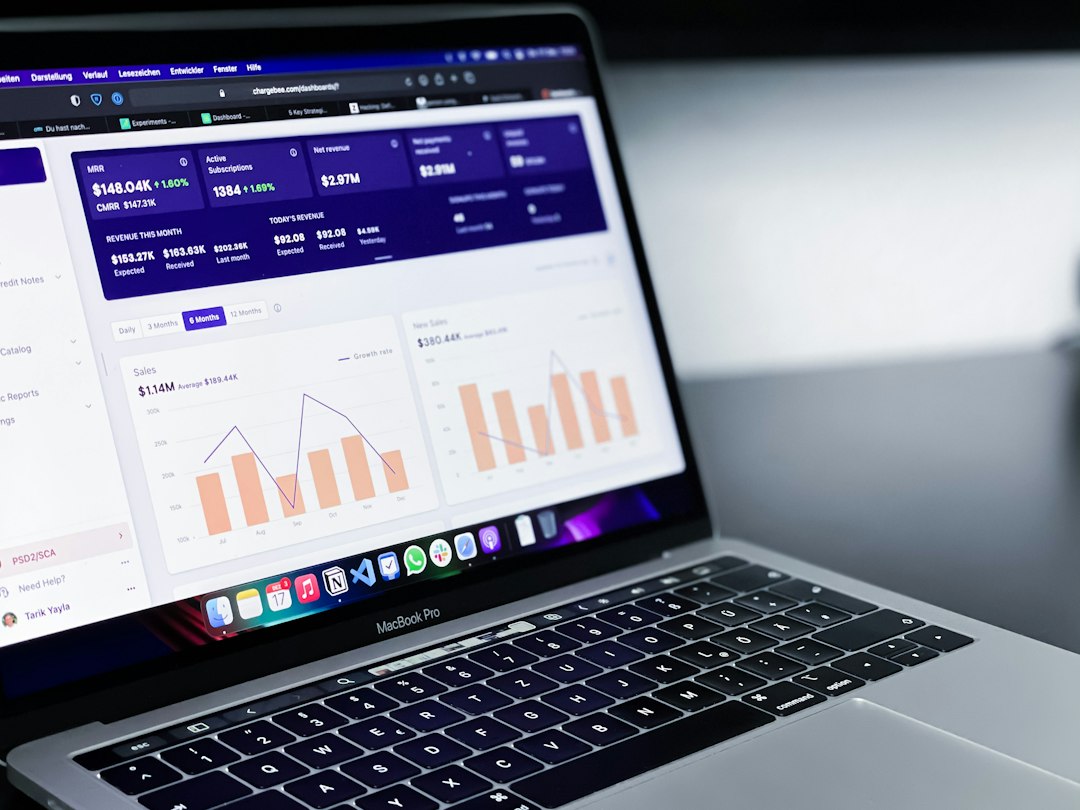
5. Transifex: Best for Continuous Localization
Transifex is a strong option for organizations that update courses, platforms, and documentation continuously. It is often used by software and web teams, but its approach also works well for evolving learning environments.
Imagine a SaaS company with a training academy. Every time the product changes, related course materials, help articles, UI strings, and tutorials may need updates in multiple languages. Transifex helps teams manage this continuous localization cycle instead of treating every update like a new project.
Its automation features can help reduce delays between source-language updates and localized releases. For fast-moving companies, this can be the difference between learners receiving outdated instructions and receiving accurate training in their own language.
6. Rask AI: Best for Video Dubbing and Subtitles
Rask AI is built for video localization, making it highly relevant for online course creators. It can translate videos, generate subtitles, create dubbed audio, and support multiple speakers. For instructors with video-based courses, this can save enormous production time.
Instead of recording a separate version of each lesson with a new voice actor, creators can use AI dubbing to produce localized narration. This is especially useful for training libraries, marketing courses, coaching programs, and educational channels with large amounts of video content.
Like all AI dubbing tools, Rask AI benefits from review. Course creators should check pronunciation, timing, technical terms, and tone. Still, for quickly testing international markets or localizing a large video catalog, it is a compelling platform.
7. HeyGen: Best for AI Avatars and Presenter Videos
HeyGen is known for AI video generation, avatar presenters, and multilingual video translation. For online courses that rely on presenter-led lessons, it can create localized videos without requiring the instructor to appear on camera again for every language.
One of its most interesting uses is turning a single instructor video into versions where the speech appears in another language with synchronized delivery. This can make localized courses feel more personal than simple subtitles. Learners often connect better when they can hear instruction in their native language rather than reading captions throughout an entire module.
HeyGen is especially useful for onboarding videos, sales enablement, short educational explainers, and microlearning content. However, for academic or technical courses, teams should carefully review the translated script before publishing.
8. Synthesia: Best for Scalable Corporate Training Videos
Synthesia is one of the most established AI video platforms for training content. It allows teams to create videos with AI avatars and generate versions in multiple languages. This makes it attractive for companies that need consistent, professional-looking training at scale.
Instead of coordinating studios, presenters, lighting, and reshoots, instructional designers can create a script, choose an avatar, and generate a training video. When the script changes, the video can be updated more easily than traditional footage. For multilingual programs, this flexibility is extremely valuable.
Synthesia works well for compliance training, internal communications, product education, employee onboarding, and standard operating procedure videos. Its polished format can help maintain brand consistency across languages.

9. ElevenLabs: Best for Realistic AI Voice Localization
ElevenLabs specializes in AI voice generation and voice cloning. For course localization, it is especially useful when you already have translated scripts and need natural speech in multiple languages.
Voice quality matters in learning. A robotic voice can make a course feel cheap or tiring, while a warm, expressive voice keeps learners engaged. ElevenLabs offers realistic voices with tone and pacing that can work well for storytelling, coaching, language learning, professional training, and audio lessons.
Course teams can use it to create narration for slide-based lessons, podcasts, guided exercises, scenario simulations, and explainer videos. As with any synthetic voice tool, it is wise to check licensing, consent, and disclosure policies when cloning real voices.
10. Descript: Best for Editing, Transcripts, and Course Repurposing
Descript is not only a localization tool, but it is extremely useful in the localization process. It provides transcript-based audio and video editing, making course content easier to prepare before translation. Instructors can clean up recordings, remove filler words, create transcripts, and edit video by editing text.
For localization, having a clean transcript is a major advantage. Poor transcripts create poor translations. Descript helps course creators prepare accurate source material, which can then be translated, subtitled, dubbed, or converted into learning resources.
It is also useful for repurposing content. A webinar can become a lesson, a lesson can become a transcript, a transcript can become a worksheet, and that worksheet can be translated for different learner groups.
How to Build an Effective AI Localization Stack
Most teams will not use just one platform. A practical AI localization stack might combine DeepL for translation, Phrase or Lokalise for workflow management, Rask AI or HeyGen for video localization, and ElevenLabs for narration. Larger enterprises may prefer Smartling for centralized control and professional review.
The workflow often looks like this: first, prepare the source content by cleaning scripts and transcripts. Next, translate text using AI and terminology glossaries. Then, review the translation with native speakers or subject experts. After that, generate localized subtitles, voiceovers, or avatar videos. Finally, test the course inside the LMS to confirm that text fits, quizzes work, captions sync, and learners can navigate comfortably.
Best Practices for Localizing Online Courses with AI
- Start with clear source content: Avoid slang, unexplained acronyms, and overly complex sentences.
- Create a glossary: Define key terms before translation begins.
- Review culturally sensitive examples: Names, humor, gestures, and case studies may need adaptation.
- Check accessibility: Provide captions, transcripts, readable fonts, and clear audio.
- Use human experts strategically: Let AI do the heavy lifting, but use reviewers for accuracy and nuance.
- Test with real learners: Feedback from native speakers can reveal issues that tools miss.
Final Thoughts
AI has changed course localization from a slow, expensive production challenge into a flexible and creative process. The best platforms allow educators and businesses to reach more learners without sacrificing clarity or engagement. Whether you are translating a small coaching program or managing a global corporate academy, there is now an AI toolset that can fit your workflow.
The key is to choose platforms based on your content type and quality needs. DeepL shines for polished translation, Phrase and Lokalise organize complex workflows, Rask AI, HeyGen, and Synthesia transform video localization, while ElevenLabs and Descript strengthen voice and editing. Used thoughtfully, these tools can help online courses feel less like translated content and more like learning experiences designed for every audience from the start.