
Ever scheduled a post on your favorite social media tool, only to wake up and realize it went live while your audience was asleep? You’re not alone. One sneaky little setting—your time zone—can throw everything off. And when you’re managing a global audience, it gets even trickier.
TLDR (Too Long, Didn’t Read)
Third-party apps sometimes miss your local timezone settings or fail to adapt when daylight saving kicks in. This means your scheduled posts can go out at weird hours—like 3 AM instead of 3 PM. If your followers are spread across the globe, they might miss your content altogether. Double-check your tools, use time zone converters, and set reminders to stay on top of changes.
Why Timezones Matter (More Than You Think)
Let’s imagine this: You’re in New York, and it’s 2 PM. You schedule a post to go live at 4 PM. Simple, right? But your third-party app is set to UTC, not Eastern Time. Boom. Your post goes live 5 hours too early. Oops!
Timezones are like invisible time lords. They quietly run the show without many of us even noticing—until something goes wrong. 😬
So What Can Go Wrong?
Here are some common timezone slip-ups:
- Your tools aren’t synced to your local time.
- Daylight saving changes, but your app didn’t update.
- You moved to a new timezone but didn’t update your app settings.
- Your team members are in different countries and using different settings.
Real-World Chaos: What It Looks Like
When your post goes out too early or too late, casual followers might miss it. But for businesses, influencers, or marketers? It’s a big deal. Here’s what can happen:
- Engagement tanks – Posts appear at times when no one is online.
- Brand trust drops – Scheduled launch at noon? You posted at midnight.
- Confused customers – Promo starts early but the link isn’t active yet. 😐
- Broken coordination – International teams scrambling? Been there.
Why Don’t Third-Party Apps Just “Get It”?
Most third-party posting tools (like Hootsuite, Buffer, or Later) give you a setting for timezone. But here’s the kicker: you have to manually set or update it.
And not all tools are equal. Some:
- Default to UTC and expect you to adjust.
- Don’t auto-update for daylight saving changes.
- Apply timezone settings per account instead of globally.
That leaves a lot of room for human error.
Daylight Saving Time (DST): The Silent Post Killer
This sneaky villain shows up twice a year and messes with everything. Post times jump forward or back, and most tools don’t send a friendly reminder.
If you scheduled posts weeks in advance and didn’t account for DST, they’ll publish at a different time than you planned. Sad trombone.
Going Global? Things Get Spicier
If you have followers in multiple countries, timezone awareness becomes even more important. Here’s why:
- Your 4 PM is someone else’s midnight.
- A post planned for “peak time” might be totally missed elsewhere.
- You could confuse followers by announcing events or deadlines with unconverted times.
The internet doesn’t sleep—and neither do your followers in Australia.
So, How Do You Fix It?
Great question! Let’s look at ways to keep your content on time and on point.
1. Always Double-Check the Timezone Setting
Before setting your next schedule, check that your app is set to YOUR local time. If you’re traveling, update it!
2. Use Universal Coordinated Time (UTC)… Carefully
If you work with a global team, consider using UTC and standardizing it across all planning docs and team tools. Just make sure everyone translates for their own time.
3. Track Daylight Saving Time Transitions
Set reminders on your calendar so you remember to adjust times manually. Bonus: Some tools like Buffer have a DST-aware setting. Use it!
4. Test Posts Before Scheduling in Bulk
Before flooding your calendar with a month of posts, test one and confirm the post time. Consider it a “timezone safety check.”
5. Use Scheduling Tools That Auto-Detect Location
Some smarter tools can detect your device’s location and adjust the timezone accordingly. Features like that can save headaches and angry DMs.
6. Know Your Audience’s Time
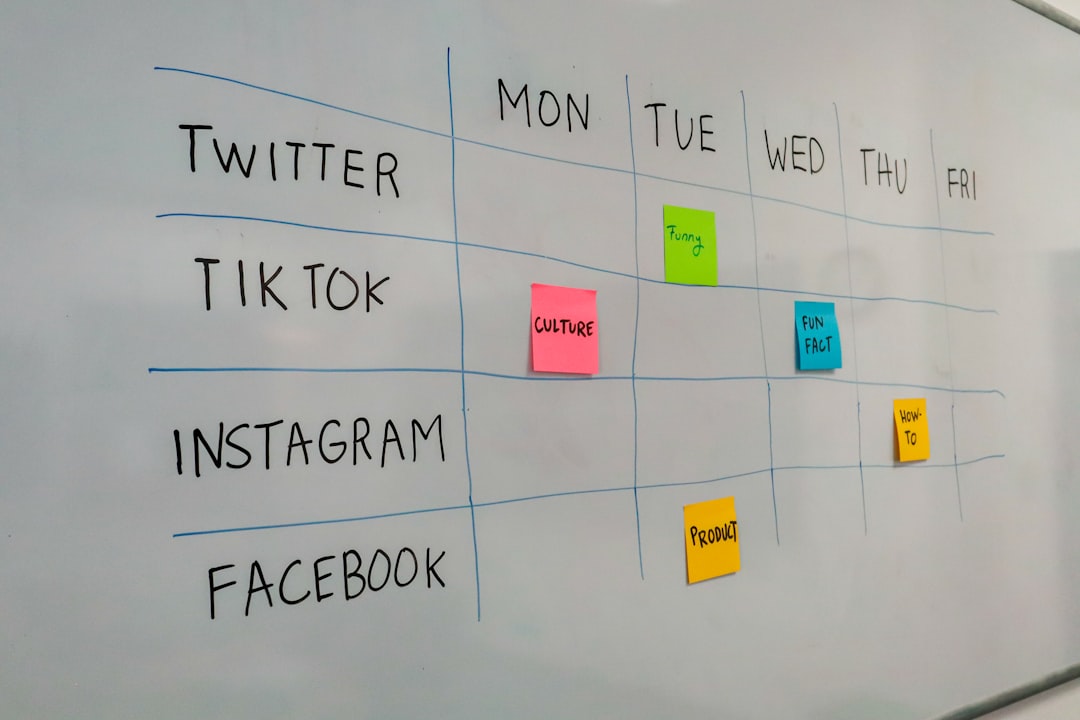
Check your platform analytics to see where your followers are located. Use that data to plan posts for their peak hours, not just yours.
7. Add Timezone in Captions When Necessary
If you’re announcing an event or deadline, write the time like this: “Giveaway ends at 6 PM EST / 11 PM GMT”. Helpful and clear!
8. Have a ‘Posting Buddy’
If you’re part of a team, have someone double-check posting times before content goes out—especially when there’s a time change in the mix.
Bonus Tips for the Super Planners 🌟
Want to go next level? Here are bonus tricks some major brands use:
- Use a World Clock App – Apps like “TimeBuddy” help plan across timezones.
- Create a Time Conversion Chart – Internal Google Sheet = team savior.
- Slack Integrations – Use Slack bots or channels set to different regions’ time.
Don’t Let Timezones Sabotage Your Great Content
You’ve spent time, energy, and maybe even money creating content. Don’t let a timezone blunder take it down. It just takes a little planning!
When in doubt, think like a global news outlet: plan for clarity, double-check schedules, and keep your audience’s perspective front and center.
Final Thought ⏳
Time is tricky, but tools are getting smarter—and so are we. With a little attention to detail and good habits, your posts can always go out at the right time, no matter where in the world your audience is.
Schedule well. Post smarter. And stay one step ahead of the clock!