
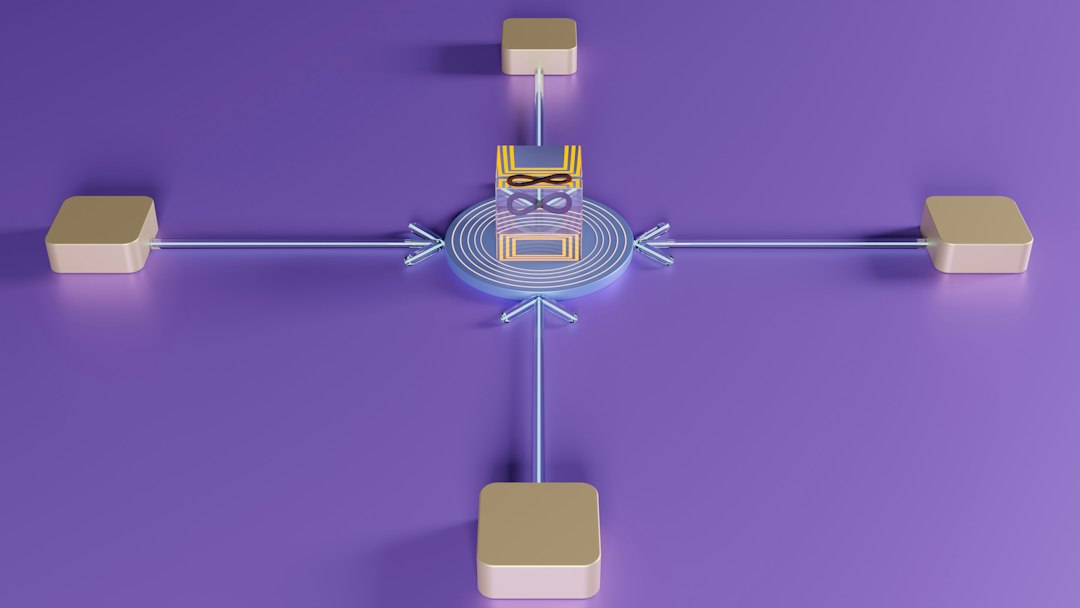
Organizations manage connected devices best when every active device is visible, verified, monitored, and protected from one control layer. Global active device management gives IT, security, compliance, and operations teams a live view of laptops, phones, tablets, servers, printers, sensors, point of sale systems, and industrial equipment across every location.
TLDR: Global active device management helps organizations track which devices are online, who uses them, where they are, and whether they meet security rules. A company with 12,000 endpoints across 18 countries might find that 7% are missing patches and 3% are still tied to former employees. With active monitoring, those risks can be flagged within minutes instead of weeks. The result is fewer blind spots, faster response, and cleaner audits.
What Global Active Device Management Means
Global active device management is the practice of identifying, tracking, monitoring, updating, and securing connected devices across many regions, networks, and business units. It is not just an asset spreadsheet. That kind of manual list goes stale almost as soon as it is saved.
Active management means the device record changes as the device changes. If a laptop moves from Berlin to Singapore, the system records it. If a phone loses encryption, the system flags it. If a server stops reporting, the team gets an alert.
This approach usually combines endpoint management, mobile device management, network access control, identity systems, and security monitoring. Together, these tools answer simple questions that become painful at scale: What is connected? Who owns it? Is it safe? Should it still have access?

Why Device Visibility Matters
Devices are often the easiest entry point for attackers. A forgotten laptop, an unmanaged tablet, or a smart camera with default settings can create a real security gap. The annoying part is that many organizations already paid for tools that should catch this, yet teams still waste hours comparing exports from five different systems.
Good visibility reduces that mess. A global device inventory can show:
- Device type: laptop, phone, server, router, kiosk, printer, sensor, or virtual machine.
- User assignment: employee, contractor, service account, or shared department.
- Location: office, home network, data center, store, warehouse, or vehicle.
- Security status: encryption, patch level, antivirus state, firewall rules, and compliance score.
- Activity state: online, offline, idle, blocked, retired, or under review.
Without this view, security teams may not know which devices need urgent action. Compliance teams may struggle to prove control. Finance teams may keep paying for unused hardware and licenses.
How Organizations Track Active Devices
Tracking usually starts with device enrollment. A device is registered through an agent, mobile profile, certificate, serial number, hardware identity, or network scan. The record is then tied to a user, department, policy group, and location.
For employee devices, unified endpoint management tools often install a small agent. This agent reports health data, software versions, patch status, storage, and login activity. For phones and tablets, mobile management profiles control work apps, passwords, encryption, and remote wipe features.
For unmanaged or unknown devices, network discovery plays a large role. Systems can scan IP ranges, inspect connected hardware, and compare findings against approved records. This helps find rogue access points, unapproved printers, personal laptops, and old servers that someone forgot under a desk.
Cloud services add another layer. Identity platforms can show which devices access email, file storage, customer systems, or administrative consoles. If a device signs in from a suspicious region or uses an outdated browser, risk scoring can trigger extra checks.
How Monitoring Works
Monitoring turns inventory into action. Instead of only recording that a device exists, the system checks whether it behaves as expected.
Common monitoring signals include:
- Patch status: missing operating system or application updates.
- Threat alerts: malware detections, suspicious scripts, or blocked connections.
- Configuration drift: settings that no longer match approved baselines.
- Login behavior: unusual sign in times, impossible travel, or repeated failures.
- Data access: large downloads, unusual file sharing, or access to restricted systems.
- Device health: low disk space, failing drive signals, battery issues, or agent failures.
Honestly, it feels like some platforms make simple checks harder than they should. A basic device search can take 20 seconds longer when inventory data is split between endpoint, identity, and security tools. Mature programs reduce that delay by syncing data into a central dashboard or security data platform.

Securing Devices Across Regions
Security policies must work across offices, remote users, and regulated environments. A company may need one baseline for all devices, then stricter rules for finance, engineering, healthcare, or government projects.
A strong baseline often includes:
- Device encryption for laptops, phones, and removable storage.
- Multi factor authentication for access to business systems.
- Automatic patching for operating systems and high risk apps.
- Endpoint detection to catch malware and suspicious activity.
- Least privilege access so users do not receive more rights than needed.
- Remote lock and wipe for lost, stolen, or retired devices.
- Certificate based trust to block fake or unknown devices.
Global operations also need regional controls. Data privacy laws may limit what can be collected from employee devices. Labor rules may affect monitoring notices. Some countries require data to stay inside local borders. Governance teams should define what is tracked, why it is tracked, and how long records are kept.
Active Management and Zero Trust
Active device management supports a zero trust model. Access is not granted just because a device is on the network. The device must prove it is known, healthy, compliant, and tied to the right identity.
For example, a sales laptop may access customer records only if it has current patches, disk encryption, approved security software, and a recent check in. If the device fails one condition, access can be limited to remediation tools. This reduces damage from stolen devices and compromised accounts.
Zero trust also helps with contractors and temporary workers. Access can expire automatically when a contract ends. Devices can be removed from trusted lists without waiting for a manual ticket.
Common Problems That Slow Teams Down
Large organizations often face the same blockers. Inventory data lives in silos. Naming rules are inconsistent. Old devices stay active in one system after being retired in another. Mergers make the problem worse, since each business may bring its own tools and device records.
Another problem is agent failure. If an endpoint agent stops reporting, the device may look inactive even though it is still being used. Strong programs treat silent devices as a risk signal. They investigate devices that miss check ins for more than a set period, such as seven or fourteen days.
Shadow IT is also common. Teams may buy tablets, scanners, cameras, or cloud connected tools without central approval. These devices still touch networks and data. Discovery controls help find them before they become audit findings or attack paths.
Best Practices for Global Programs
- Create one source of truth. Device records should sync into a central asset system.
- Use standard naming. Clear names make region, owner, purpose, and device type easier to find.
- Automate enrollment. New devices should register before they access business data.
- Score device risk. Patch gaps, missing encryption, and unusual activity should affect access.
- Review inactive devices. Devices that stop checking in should be investigated or retired.
- Separate personal and corporate data. This protects privacy and improves legal control.
- Test remote actions. Lock, wipe, quarantine, and recovery actions should work before a crisis.
FAQ
What is an active device?
An active device is any connected device that is in use, recently checked in, or still has approved access to business systems.
How is global device management different from basic asset tracking?
Basic asset tracking records ownership and location. Global active device management also monitors health, security status, user activity, and access rights across regions.
Which devices should be included?
Organizations should include laptops, desktops, phones, tablets, servers, virtual machines, network hardware, printers, IoT devices, industrial systems, and shared kiosks.
How often should device data update?
High risk devices should report in near real time or every few minutes. Standard endpoints often check in every few hours. Offline devices should trigger review after a defined period.
Can personal devices be managed safely?
Yes, but policies must separate work data from personal data. Many organizations use app based controls or work profiles instead of full device control.
What is the biggest benefit?
The biggest benefit is reduced security risk. Teams can find exposed devices faster, fix them sooner, and block unsafe access before damage spreads.