
Choose a testing strategy by risk, not habit. A checkout flow, a medical record update, and a profile photo upload do not deserve the same testing budget. The best teams mix fast automated checks, focused manual testing, security scans, performance tests, and production monitoring so defects are caught early without slowing every release to a crawl.
TLDR: Modern applications need a layered testing approach, with the most automation around stable business rules and the most human attention on risky user journeys. For example, an online retailer may automate 85% of regression checks, manually test new promotions before launch, and run load tests before Black Friday. If a release pipeline blocks builds when critical tests fail, teams can cut escaped defects by 30% to 50% over a few release cycles. The goal is not “more tests”; it is better confidence per minute spent.
Start With the Risk Map
Before picking tools or writing scripts, map the parts of the system that can cause real damage. Payment failures, lost data, privacy leaks, broken logins, and poor search results are not equal problems. One can cost revenue. Another can trigger legal trouble. Another can simply annoy users.
A practical risk map should answer three questions:
- What breaks the business? Think billing, orders, compliance, and core workflows.
- What breaks trust? Think security, personal data, permissions, and audit trails.
- What breaks speed? Think slow APIs, frozen screens, and timeouts under load.
This simple exercise keeps testing honest. It drives me crazy when teams spend two days perfecting tests for a rarely used settings page while the password reset flow fails on mobile. That is not quality. That is busy work with a green dashboard.
Use the Testing Pyramid, But Do Not Worship It
The classic testing pyramid still helps. It suggests many unit tests at the bottom, fewer integration tests in the middle, and a smaller number of end-to-end tests at the top. The reason is cost. Unit tests are fast. End-to-end tests are slower, more brittle, and harder to debug.

Unit tests check small pieces of code. They are perfect for pricing rules, validation logic, calculations, and edge cases. They should run in seconds and give developers feedback before code leaves a laptop.
Integration tests check how parts work together. These are critical for APIs, databases, queues, payment providers, authentication services, and message brokers. Many nasty bugs hide here because each component works alone but fails when combined.
End-to-end tests simulate user journeys. They are valuable for flows such as sign up, checkout, subscription upgrade, and account recovery. Keep them focused. A suite with 300 browser tests may sound impressive until one flaky selector blocks deployment for 47 minutes.
Match Test Types to the Application
Not every application needs the same coverage. A mobile banking app has different risks than an internal content tool. A streaming service cares deeply about scale and playback quality. A health platform cares about security, accuracy, and traceability.
Here is a useful breakdown:
- Web applications: Prioritize cross-browser checks, accessibility, API contracts, security, and key user flows.
- Mobile applications: Test device variety, network changes, battery impact, permissions, offline behavior, and app store update paths.
- Microservices: Use contract testing, integration testing, service virtualization, and strong observability.
- AI features: Test output quality, bias risks, unsafe responses, data drift, and fallback behavior.
- Real-time systems: Test latency, concurrency, message ordering, and failure recovery.
The catch is that shiny tools often make teams skip the boring questions. What data is needed? Which environments are reliable? Who owns broken tests? If those answers are fuzzy, automation turns into an expensive alarm system that no one trusts.
Automate Where Repetition Hurts
Automation is best for checks that are repeatable, stable, and painful to run by hand. Regression testing is the obvious target. Smoke tests are another. API checks, database migration checks, and build verification tests also pay off quickly.
A good automation suite should be:
- Fast: Developers should get useful results in minutes, not after lunch.
- Clear: A failure should point to the likely cause, not dump a wall of logs.
- Maintainable: Test code needs reviews, naming rules, and cleanup like production code.
- Relevant: Tests should protect real behavior, not internal details that change every sprint.
Use tags or folders to split tests by purpose. For example, run smoke tests on every commit, broader regression tests before release, and heavy performance tests on a schedule. This keeps feedback quick and still protects the release.
Do Not Remove Humans From Testing
Manual testing is not outdated. Bad manual testing is outdated. Clicking through the same script every Thursday is dull and wasteful. Exploratory testing, however, is still powerful because humans notice odd behavior, confusing flows, awkward messages, and visual glitches that scripts ignore.
Use manual testing for new features, complex workflows, usability checks, and areas with unclear requirements. Pair testers with product managers and developers. Give them charters, not giant scripts. A charter might say: “Test account recovery for users who changed phone numbers, lost email access, or have two factor authentication enabled.” That invites insight, not box ticking.
Shift Left, But Also Test Right
“Shift left” means testing earlier. Code reviews, static analysis, unit tests, and API contract checks catch defects before they reach a shared environment. This saves time because bugs are cheaper to fix near the source.
Still, early testing is not enough. You also need to “test right,” which means learning from production. Feature flags, canary releases, synthetic monitoring, error tracking, and real user analytics reveal behavior that staging never shows. Staging rarely has real traffic spikes, strange browser extensions, expired cards, weak mobile signals, or users who double-click everything.
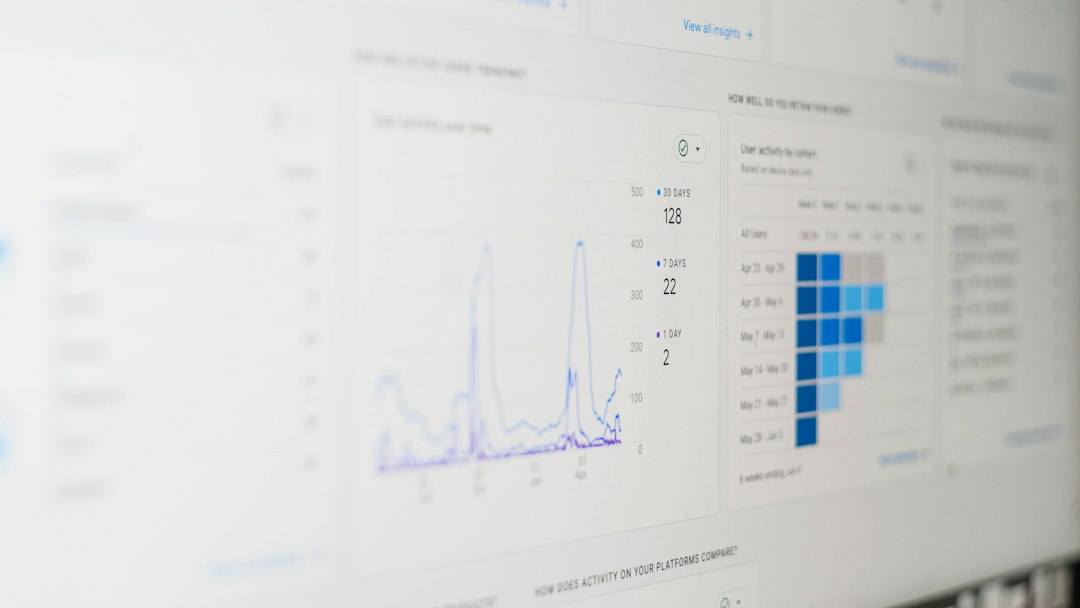
Production monitoring should answer: Are users succeeding? Are error rates rising? Did latency increase after release? Did one country, browser, or device type suddenly suffer? Without these signals, a release can be technically “successful” while users quietly leave.
Quality Gates Should Be Firm, Not Absurd
Quality gates decide whether code can move forward. They may include required reviews, passing tests, security checks, minimum coverage, or performance limits. Used well, they protect the team. Used badly, they become red tape.
A sensible gate blocks serious risk. For example:
- No critical security findings.
- No failing smoke tests.
- No broken database migrations.
- No major increase in API response time.
- No release if rollback steps are missing.
A poor gate blocks a release because total test coverage dropped from 82.1% to 81.9%. Numbers help, but they are not wisdom. Coverage can show which areas lack tests, yet it cannot prove that the tests are meaningful.
Include Security, Performance, and Accessibility Early
Security testing should not be a final scan before release. Add dependency checks, secret detection, static analysis, and basic threat modeling during development. For high-risk systems, add penetration testing and abuse case reviews.
Performance testing also belongs early. A page that loads in 1.2 seconds with 10 users may take 8 seconds with 10,000. Test API response times, database queries, caching, queue handling, and front-end asset size. Users rarely complain with a detailed bug report. They just leave.
Accessibility testing deserves the same respect. Automated tools can catch missing labels, poor contrast, and structural issues. Manual checks with keyboard use and screen readers catch more. Accessible software is not a bonus feature. It is part of usable software.

Pick Tools After You Pick Principles
Tools matter, but principles matter more. Choose tools that fit your stack, team skill, pipeline, and reporting needs. A small team may prefer fewer tools with simple setup. A large platform team may need parallel execution, test data management, service mocks, and compliance reports.
Ask these questions before buying or adopting anything:
- Does it run well in our CI pipeline?
- Can developers debug failures quickly?
- Does it support our browsers, devices, APIs, and data needs?
- Who maintains the tests and test environments?
- What happens when a test is flaky?
The right testing strategy is not a single method. It is a balanced system. Put fast checks close to the code. Protect critical journeys with focused end-to-end tests. Use exploratory testing where judgment matters. Watch production closely. When those pieces work together, quality becomes a release habit, not a last-minute panic.