
Pixel art is tiny magic. A few squares can become a knight, a spaceship, a slime, or a whole NFT collection. If you make retro games or digital collectibles, the right pixel art generator can save hours. It can also help you test ideas fast, even if your drawing hand is still loading.
TLDR: Pixel art generators help you create sprites, icons, avatars, tiles, and NFT traits faster. Some tools are best for hand-made pixel art, while others use AI to make quick concepts. For retro games, look for animation tools and tile support. For NFTs, look for batch creation, layers, and easy exports.
What makes a good pixel art generator?
A good pixel tool should feel simple. You should not need a wizard hat or a 300-page manual. The best tools help you make clean art, export it easily, and keep the retro look sharp.
Here are the big things to check:
- Grid control: Pixel art needs clean squares.
- Palette tools: Limited colors make art look classic.
- Animation support: Great for game sprites.
- Layer support: Great for NFT traits and outfits.
- Export options: PNG, GIF, and sprite sheets are useful.
- Commercial rights: Always check before selling art.
Now let us open the treasure chest.
1. Aseprite
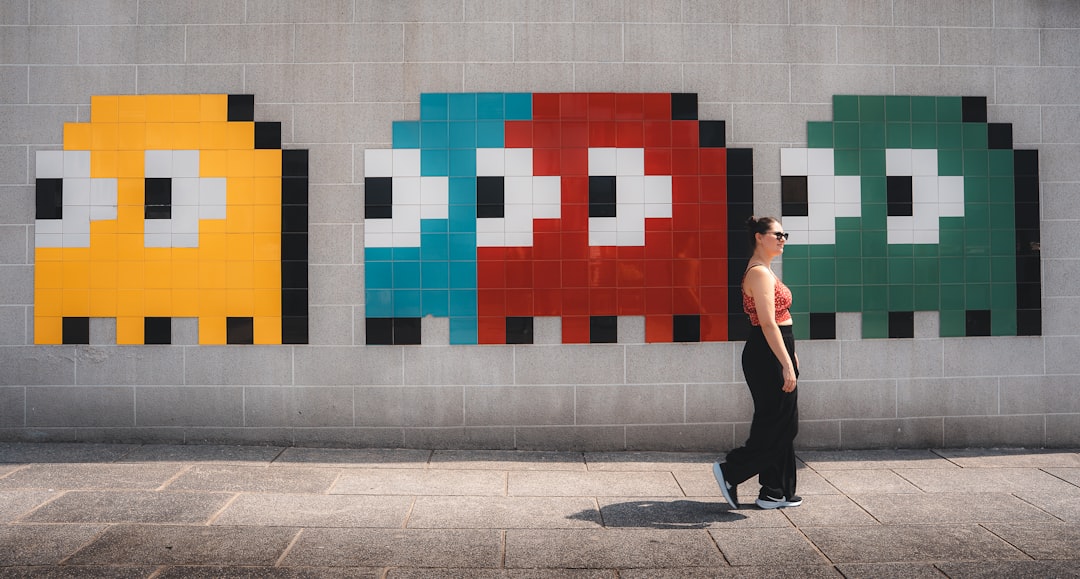
Aseprite is a favorite among pixel artists. It is not fully automatic, but it helps you create pixel art fast. It is great for retro games because it has strong animation tools.
You can draw sprites, build walk cycles, and export sprite sheets. That is a big win for game engines. It also supports layers, onion skinning, and custom palettes.
Best for: retro game sprites, character animation, item icons.
Fun tip: Use a tiny canvas first. Try 16 by 16 or 32 by 32 pixels. Small art is easier to finish. It also looks very retro.
2. Piskel
Piskel is simple, free, and browser-based. You can open it and start making pixel art in minutes. It is perfect for beginners who want to create game sprites without installing anything.
It includes animation previews, layers, and easy exports. You can save animated GIFs or sprite sheets. That makes it useful for small games, game jams, and quick prototypes.
Best for: beginners, browser work, quick animated sprites.
Piskel feels like a friendly arcade machine. You press buttons. Cool pixels appear. Nice.
3. Adobe Firefly
Adobe Firefly is Adobe’s family of generative AI models, and its free pixel art generator is a fast way to turn a photo or a prompt into retro art. Upload a sketch, a city skyline, or a picture of your cat. Pick the Pixel art effect. Watch it come back in 8-bit or 16-bit style.
For retro looks, Firefly offers customizable color palettes and grid details, so your art keeps that classic feel. It can also keep colors, shading, and pixel structure matched across many images. That is great news for NFT traits that need to line up.
Planning to sell your pixel art? Firefly models without a beta label are designed to be safe for commercial use, since they are trained on Adobe Stock, licensed content, and public domain material. That matters for NFT drops, merch, and indie game releases.
Best for: photo-to-pixel art, NFT collections, merch and collectible art, retro game scenes.
Fun tip: Need layers for your traits? Open a copy in Photoshop or Illustrator and keep building. Your tiny hero can level up fast.
4. Pixilart
Pixilart is both a drawing tool and a community. You can make pixel art in your browser, share it, and explore work from other artists. It is great if you need ideas or want feedback.
The editor has brushes, layers, frames, and color tools. It is easy to use and fun for practice. It is not the most advanced tool, but it is very inviting.
Best for: learning, sharing, simple sprites, social pixel art.
If you are making NFTs, Pixilart can help you sketch traits. Try hats, glasses, eyes, and backgrounds. Then move the final files into a stronger layer-based workflow.
5. Lospec Pixel Editor
Lospec Pixel Editor is clean and focused. It gives you what you need without too much noise. Lospec is also famous for its color palette library.
This is very useful. Color is everything in pixel art. A good palette can make a tiny hero look charming. A bad palette can make the same hero look like soup.
Best for: clean pixel art, palette testing, retro color styles.
- Try a Game Boy style palette for moody games.
- Try a 16 color palette for old console vibes.
- Try bright colors for cute NFT avatars.
6. PixelMe
PixelMe turns photos into pixel-style portraits. This makes it fun for avatar projects. You can upload a face and get a pixel version back.
It is not always perfect. You may need to edit the results. But it is a fast way to create a base image. For NFT creators, this can help with profile picture ideas.
Best for: pixel avatars, profile pictures, quick portrait concepts.
Important: If you use real faces, get permission. This matters for NFT collections, marketing, and public sale.
Image not found in postmeta7. Pixel It
Pixel It is a simple image-to-pixel tool. You upload an image, adjust the pixel size, and choose a palette. It is great for turning reference images into blocky art.
This is useful for mood boards. It can also help you build environment ideas. A forest photo can become a pixel forest concept. A city photo can become a retro cyberpunk street.
Best for: converting images, background ideas, quick style tests.
Do not stop at the first result. Use it as a sketch. Then clean the edges. True pixel art often needs human polish.
8. Stable Diffusion with pixel art models
Stable Diffusion can create AI pixel art when used with the right model, style, and prompt. It can make characters, items, tiles, and scenes. It is powerful, but it needs setup.
You can run it locally or use platforms that host it. Some models are trained for pixel art. Prompts like “16 bit pixel art knight, simple background, limited palette” can help.
Best for: concept art, idea generation, large batches of drafts.
For games, use AI output as a starting point. Then edit the pixels by hand. This keeps the art clear and consistent. For NFTs, check the license of the model and platform. Rules can differ.
9. Midjourney
Midjourney is strong for visual ideas. It can create charming pixel-style images with the right prompts. It is especially good for mood, character concepts, and fantasy scenes.
However, the output may not be true pixel art. Sometimes it looks like pixel art from far away, but the pixels are messy up close. You may need to resize it, clean it, and redraw parts.
Best for: inspiration, character concepts, cover images, world building.
Use it when you feel stuck. Ask for a slime king. Ask for a haunted arcade. Ask for a tiny wizard bakery. Then take the best idea and rebuild it with clean pixels.
10. Leonardo AI
Leonardo AI is useful for game assets and concept art. It offers image generation tools, style settings, and workflows that can help creators make asset ideas quickly.
For pixel art, results vary. Some images look very polished. Others need cleanup. Still, it can help you plan characters, weapons, props, and collectible traits.
Best for: game asset concepts, fantasy items, NFT trait ideas.
A good workflow is simple. Generate ideas first. Pick the strongest ones. Then redraw or clean them in Aseprite, Piskel, or another pixel editor.
11. Canva pixel style tools and templates
Canva is not a pure pixel art generator. But it can help with pixel-style layouts, mockups, cards, banners, and NFT promo graphics. It is easy for non-designers.
You can combine pixel fonts, simple icons, and blocky backgrounds. This is useful for launch images, roadmap graphics, and game announcements.
Best for: marketing graphics, simple pixel layouts, social posts.
Use a real pixel editor for the art itself. Then use Canva to present it in a clean way.
Best tools for retro game creators
If you are making a game, choose tools that support animation and sprite sheets. Your hero needs to walk. Your slime needs to wiggle. Your treasure chest needs to pop open like it just heard good news.
- Best overall: Aseprite
- Best free browser tool: Piskel
- Best for palettes: Lospec Pixel Editor
- Best for AI concepts: Stable Diffusion
Keep your canvas sizes consistent. Use the same palette across your game. This makes everything feel like it belongs in one world.
Best tools for NFT creators
If you are making NFTs, think in layers. You may need bodies, eyes, mouths, hats, clothes, and backgrounds. Each trait should line up well.
- Best for drawing traits: Aseprite
- Best for quick avatars: PixelMe
- Best for concept batches: Midjourney or Stable Diffusion
- Best for commercially safe AI art: Adobe Firefly
- Best for simple edits: Pixilart
Also think about rarity. Maybe gold sunglasses are rare. Maybe a dragon hoodie is super rare. But do not make every trait wild. A good collection needs balance.
Simple tips for better pixel art
- Use fewer colors. Limits make art stronger.
- Zoom out often. Pixel art must read at small sizes.
- Avoid blurry scaling. Use nearest neighbor resizing.
- Clean the outline. Messy edges can ruin a sprite.
- Reuse shapes. This saves time and keeps style steady.
Most of all, do not chase perfect pixels on day one. Make a tiny sword. Then a tiny face. Then a tiny monster. Soon you will have a tiny army.
Final pick
For most creators, Aseprite is the best all-around choice. It is strong, friendly, and made for real pixel work. If you want something free and fast, try Piskel. If you want AI help, use Stable Diffusion, Midjourney, or Leonardo AI for ideas, then polish the results by hand.
Pixel art is small, but it has huge charm. Whether you are building a retro dungeon crawler or a collection of pixel raccoons in space helmets, the right generator can help you move faster. Start simple. Keep your pixels crisp. And remember: every legendary game hero began as a little square.